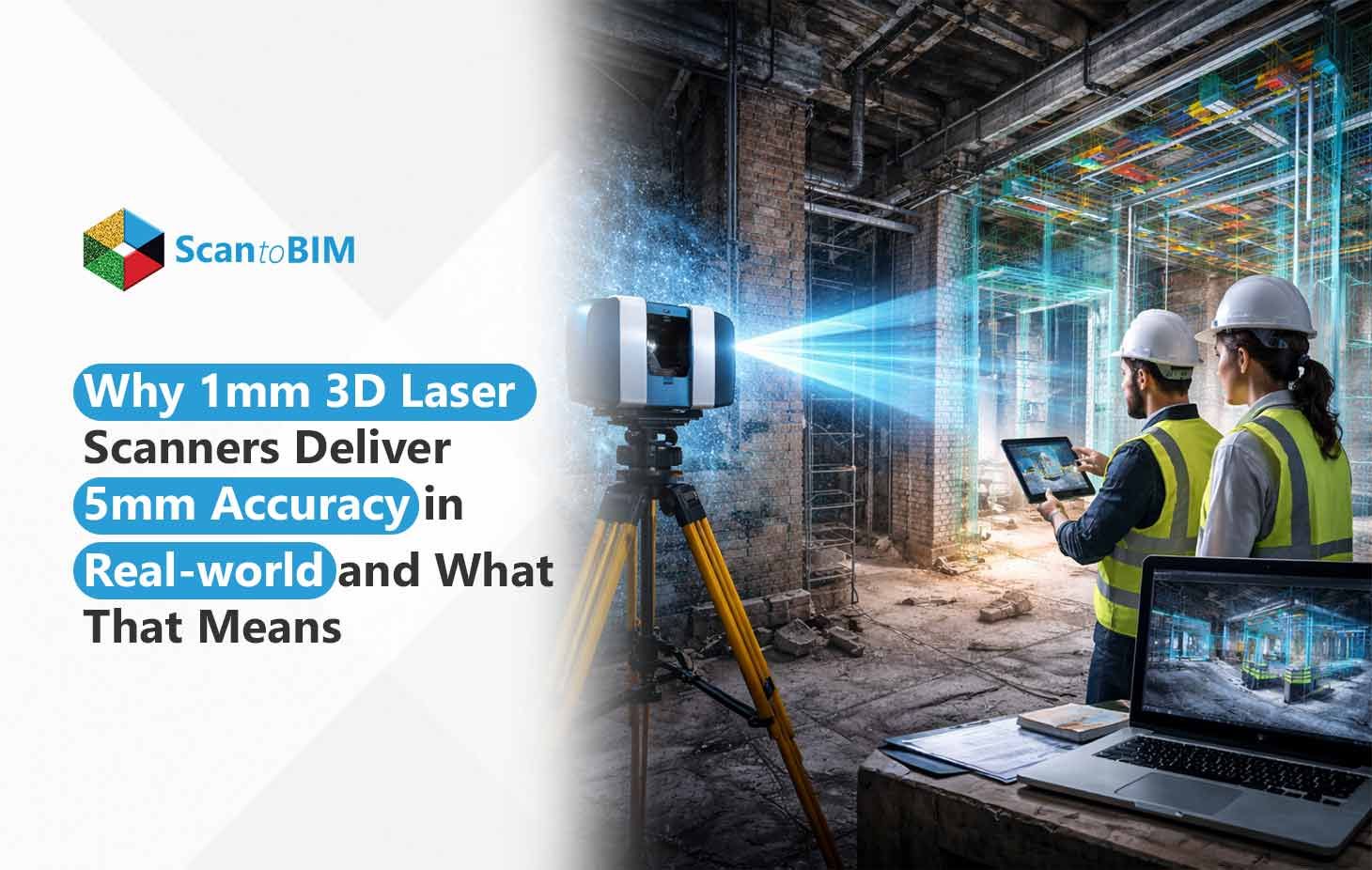
The Myth of the 1mm 3D laser Scanner
You’ve probably lived this moment, where you invested in a top-tier 1mm accuracy laser scanner for a heritage restoration, with the confidence that it would end the guesswork. But halfway into modeling, your team flags a 5mm discrepancy on a critical profile. But suddenly, you start firefighting. Rework, revisiting drawings, and explaining delays that no one budgeted for.
And here’s the truth that no one tells:
Research has shown that even high-end terrestrial laser scanners, rated for ±1 mm + 10 ppm, deliver average field deviations of up to 2–5 mm under real-world conditions.
- Because the 1mm specification was tested in perfect lab conditions, not in your dusty, uneven, century-old site.
- Historic buildings amplify every limitation the datasheet glosses over.
- With teams relying heavily on Scan to BIM, even small accuracy issues snowball fast.
- In large-firm coordination, a few millimeters can quietly derail entire workflows.
If your architecture firm relies on point clouds for renovation, coordination, or heritage modeling, understanding the difference between ‘spec-sheet accuracy’ and ‘real-world accuracy’ is critical. This guide explains why 1mm rarely behaves like 1mm — and how to control the gap.
The Marketing vs Real-world Laser Scanner Specifications
The phrase 1mm accuracy sounds reassuring until you dig into what manufacturers actually mean. In most cases, that number represents performance in controlled laboratory conditions where surfaces are matte, lighting is stable, distances are short, and nothing moves. In other words, the exact opposite of your renovation site where ductwork vibrates, walls aren’t perfectly plumb, and materials reflect light unpredictably.
Here’s what firms often miss in the fine print:
- Range limits: That 1mm accuracy applies at close distances; push the scanner to 10–20 meters and tolerances expand fast.
- Reflectivity issues: Glass, glossy paint, steel, and dark surfaces introduce noise that the spec sheet barely hints at.
- Environmental impacts: Temperature changes, dust, shadows, people walking through scans, etc., contribute to the deviation.
Therefore, when your team wonders why a 1mm 3D LiDAR scanner delivers 5mm accuracy, it's not malfunctioning; it’s that you’re comparing lab math to on-site reality.
5 Hidden Factors That Turn 1mm Scanner Accuracy Into 5mm Field Results
Even the best scanners don’t fail because of hardware; they fail because the real world refuses to behave like a lab. Here are the five quiet culprits that slowly stretch your 1mm expectation into a 5mm in reality outcome.
Factor 1: Registration and Alignment Errors
A single scan might be precise, but projects aren’t built on single scans.
- Large sites often require 50–200+ scan positions, and every station introduces micro-errors.
- Point cloud registration amplifies these imperfections, gradually shifting geometry.
- The moment assembled is completed, the accuracy drift in point clouds becomes noticeable and costly.
Factor 2: Environmental Impacts
Your sites are dynamic ecosystems.
- Temperature swings cause tiny expansions inside scanner components.
- Outdoor ambient light can disrupt time-of-flight technology.
- HVAC vibration, foot traffic, and nearby roads keep distorting readings.
Factor 3: Surface Properties and Scan Quality
Surfaces determine how much truth your scanner can capture.
- Glass and polished metal scatter returns, while dark materials absorb them.
- Corners, edges, and ornate geometry introduce edge effects that blur precision.
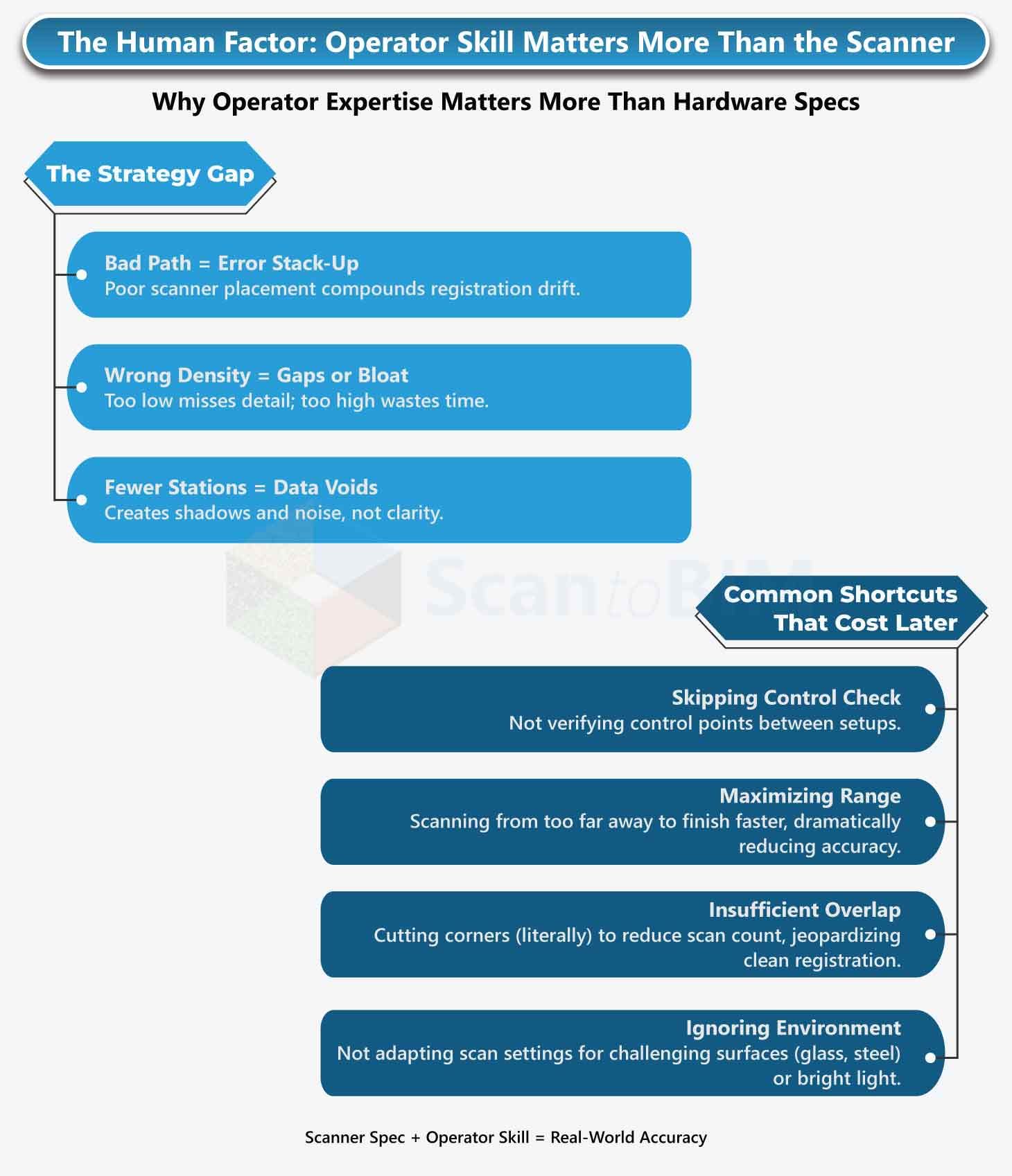
Factor 4: Operator Technique and Target Placement
Human decisions shape accuracy more than the scanner does.
- Weak overlap, poorly distributed targets, and bad network geometry weaken the entire scan structure.
Factor 5: Processing Workflow and Software Limitations
Even perfect raw data can be degraded later.
- Filtering, smoothing, and decimation simplify the cloud, but soften precision.
- Feature extraction tolerances during CAD conversion introduce yet another layer of drift.
These five factors don’t just increase error; they multiply it—often silently, until your team discovers the mismatch during modeling or coordination.
Learn about → 5 Common Mistakes in Scan to BIM Projects And How to Fix Them
Case Study: How a $180K Scanner Failed Hospital Renovation Accuracy Requirements
A 250-person healthcare-focused architecture firm invested in a $180K phase-shift scanner advertised at ±1mm @ 25m for a 120,000 sq ft hospital wing renovation. On paper, it was the perfect fit for the required ±3mm MEP and structural accuracy. In practice, the results told a different story.
After completing 87 scan positions across three floors, the verification survey exposed gaps the scanner spec never warned about:
- 4–7mm deviation in structural grids
- 5–8mm discrepancies in ceiling heights
- 3–6mm drift in room-to-room dimensions
The challenges were entirely workflow-driven:
- Long corridors with weak target geometry
- 8°C temperature swings between scan sessions
- Reflective hospital floors degrading returns
- Registration software left on default settings
Solution Given:To recover accuracy, the team implemented tighter environmental control, added 40% more stations, and verified with a total station. Finally achieving ±2.5mm, but with 60% more field time.
Lesson Learnt: The scanner didn’t fail, the workflow did.
Why Do You Notice the Point Cloud Glitch Only During Modeling?
At first glance, a point cloud always looks good enough. Zoomed out, everything lines up. Walls feel straight, floors look flat, columns appear perfectly vertical. And that’s exactly why most firms don’t notice accuracy issues until they dive deeper into the workflow, when the modeling team starts turning those millions of points into actual geometry.
Here’s where the truth shows up:
- Geometry doesn’t close cleanly. A wall that should be 200mm ends up 198mm on one scan pass and 203mm on another. Suddenly, your modeler is fighting tiny mismatches the eye can’t catch, but fabrication teams definitely will.
- Clashes appear where they don’t belong. A beam that looked aligned in the cloud now clashes with ductwork after modeling because the point cloud had a 3–5mm drift. In MEP coordination, that’s the difference between a smooth RFIs log and a nightmare of redesign cycles.
- 5mm starts to matter more than anyone expected. In façades, prefabricated assemblies, equipment rooms, ceiling voids, and heritage profiles, even a slight deviation compounds through the model, creating misfits that cost time, reputation, and rework.
Architects often discover this accuracy gap only when point clouds, models, and shop drawings stop lining up, not when the point cloud first arrives. By then, the issue isn’t just accuracy. It's a workflow disruption. It’s trust erosion. And it’s a reminder that good-looking data isn’t the same as-built data.
What 5mm Actually Means for Architects Running Large Teams?
For a growing architecture firm managing 20 to 40 simultaneous BIM scopes, 5mm isn’t just a tiny tolerance issue. It’s a multiplier that quietly affects every downstream team that touches the model. Most decision-makers only see the impact when deadlines tighten, submittals pile up, and coordination rooms get tense.
Risk of Incorrect Design Intent Transfers
A 5mm drift on heritage mouldings, façade profiles, or equipment rooms can distort the very design intent your team is trying to preserve. Modelers compensate. Coordinators adjust. Suddenly, the project is built on “approximate truth,” not actual site truth — a dangerous gap for high-fidelity work.
Cost of Rework & Delayed Submittals
A tolerance miss forces teams to:
- Re-model elements
- Re-run clash tests
- Re-issue sheets
- Re-justify hours to the client
Multiply that across 8 to 12 disciplines and several active projects, and a 5mm issue becomes a line-item cost your PMs feel acutely.
Misalignment Between On-Site Conditions and Digital Models
When the model doesn’t reflect reality, fabricators lose trust, contractors raise RFIs, and your team is pulled into verification loops. It slows momentum and shifts responsibility back onto your office.
Breakdowns in Multi-Disciplinary Coordination
MEP, structure, interiors, etc., all depend on the same truth. A 5mm deviation across multiple scans compounds into avoidable clashes, incorrect clearances, and hours of unnecessary coordination.
For a large architecture practice, 5mm is not a number; it’s a ripple effect waiting to hit every team in the building.
How Leading Firms Are Mitigating the “1mm vs 5mm Accuracy Gap?
The firms that consistently avoid downstream surprises aren’t the ones with the most expensive scanner; they’re the ones who have learned how to control the gap between what the datasheet promises and what the site actually delivers. Their strategy is simple. Stop assuming the scanner will guarantee accuracy, and start building processes that protect accuracy.
Setting the Right Accuracy Expectations in RFPs
High-performing architecture firms don’t write vague RFP lines like “Provide 1mm accuracy.” They go deeper. They specify:
- Expected accuracy per range, like within 5m, 10m, 20m, etc.
- Environmental assumptions (indoor/outdoor, daylight, vibration).
- Minimum overlap requirements between stations.
- Registration method (target-based, targetless, hybrid).
They know that clarity on the front end eliminates hours of back-end “why doesn’t this line up?” conversations.
Choosing Scan Density Based on Project Type
Not every project needs ultra-high density, and not every team benefits from it. Leading firms adjust density based on:
- Heritage profiles: Higher density for detailed ornamentation.
- MEPF coordination: Tighter spacing in congested areas.
- Façades or exteriors: Adjusted spacing based on distance and reflectivity.
They treat density as a design decision, not a default setting.
Implementing Post-Scan Quality Checks
Before modeling starts, the point cloud undergoes a technical sanity check:
- Range-based deviation review
- Registration residual analysis
- Spot-checking geometry, like comparing known dimensions vs. scan data
This early audit catches drift before modelers waste hours correcting avoidable errors.
Using BIM Modelers Trained to Interpret Point Cloud Noise
Top firms understand the truth that modelers, not scanners, ultimately determine the accuracy of the digital twin.
Scan to BIM modelers know how to:
- Read noise patterns
- Identify non-geometric artifacts
- Avoid snapping to ghost points
- Reconstruct true geometry from imperfect data
This human skill is what truly converts a raw point cloud into a buildable, coordinated model.
Leading firms don’t chase a perfect scanner. They build a workflow that makes imperfect site conditions irrelevant.
When 5 mm Accuracy Is Perfectly Acceptable And When It’s Not
| Topic | When 5 mm Accuracy Is Acceptable | When 5 mm Accuracy Is Not Acceptable |
|---|---|---|
| Renovations vs fabrication-level modeling | General renovations, interior updates, planning layouts, and validating existing conditions for design intent | Prefab components, MEP spool drawings, millwork fabrication, steel detailing, and curtain wall fabrication |
| Tolerance stack-up and real-world risk | Early design phases, conceptual coordination, and low-impact systems with flexibility | High-density MEP zones, equipment rooms, hospitals, data centers, and areas with tight clearances, where minor errors compound |
| Decision-making for scaling BIM teams | When working on low-complexity projects, early design stages, or when modeling primarily for visualization | When delivering construction-ready models, coordinating multiple trades, or needing fabrication-level deliverables across projects |
7 Critical Questions for Evaluating 3D Scanner Accuracy Claims
Architects don’t struggle because scanners are inaccurate; they struggle because accuracy is advertised in ideal conditions, not real projects. Before investing in your next scanner, these seven questions help you cut through brochure-level promises and understand how the device will behave in stairwells, heritage buildings, tight MEP rooms, and long corridors.
Ask:
- Is the accuracy “system-level,” or just a near-range spec?
- Was it validated in real environments, not labs?
- Does the spec include registration and processing errors?
- Can the vendor show third-party-verified projects?
- How quickly does accuracy degrade at distance?
- How does it behave on reflective or dark materials?
- What operator training ensures you actually achieve the stated accuracy?
These questions reveal whether you’re buying true performance or marketing language.
7 Questions to Ask Before Buying a 3D Scanner and What Each One Reveals About Real-World Accuracy
| Critical Scanner Evaluation Question | What This Reveals About Real-World Accuracy & Project Risk |
|---|---|
| What’s the system-level accuracy over real project distances? | Near-range specs hide drift and angular errors that show up in corridors, atriums, and large rooms. |
| Was accuracy validated in real-world conditions? | Lab testing ignores reflections, vibration, lighting, and movement—major causes of field deviation. |
| What does the accuracy spec actually include? | Many claims exclude registration and processing errors, the biggest contributors to model misalignments. |
| Are there third-party–verified reference projects? | Independent QA proves the scanner performs reliably outside controlled demos. |
| How does accuracy degrade at maximum range? | Long-distance capture amplifies deviation, especially in ceiling, facade, and MEP zones. |
| How does it handle reflective or dark materials? | Glass, metal, and dark finishes introduce noise clouds that distort features during modeling. |
| What training or workflow support is included? | Operator skill determines whether teams can achieve the accuracy promised on paper. |
Final Takeaway: The Scanner Isn’t Lying, but Your Expectations Are
The scanner isn’t misleading you; your expectations are. Yes, it may promise ±1mm, but architecture projects don’t happen in lab conditions. And when accuracy slips, the impact is real. Reports say, “14% of all construction rework globally is caused by bad data”.
Understanding this tolerance reality changes everything. It helps decision-makers budget smarter, plan timelines realistically, and avoid downstream clashes that quietly drain margins. High-quality point clouds matter, but pairing them with modelers trained to interpret noise, drift, and registration errors is what protects your design intent.
Frequently Asked Questions (FAQ)
1. Why does accuracy tolerance matter in architectural 3D modeling?
Accuracy tolerance determines how closely your model represents real-world site conditions. It directly affects coordination quality, fabrication reliability, and the amount of rework during construction.
2. When is a 5 mm accuracy tolerance good enough?
A 5 mm tolerance works well for general renovations, early design planning, interior updates, and conceptual coordination where fabrication is not involved.
3. When do I need less than 5 mm or fabrication-level accuracy?
You need tighter accuracy when modeling mechanical rooms, dense MEP zones, prefabricated elements, millwork, steel assemblies, or any location where even minor deviations can cause installation issues.
4. What happens if the accuracy is too high for a simple renovation?
Over-modeling wastes budget and extends delivery timelines without improving project outcomes. Using fabrication-level tolerances for simple renovations is unnecessary and costly.
5. How do I decide the right accuracy level for my project?
Match the tolerance to the project purpose, trade involvement, risk areas, and downstream usage. If fabrication is involved, use higher accuracy. If the goal is planning or visualization, 5 mm works well.
6. Do accuracy standards change based on region?
Yes. Local construction practices, building codes, architectural scanning accuracy norms, and trade expectations vary by region. For example, US interior renovations typically accept 5 mm, while certain EU fabrication workflows often require tighter tolerances.