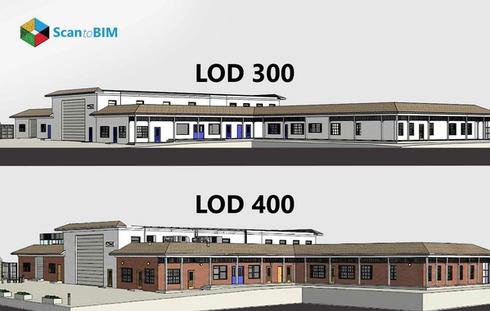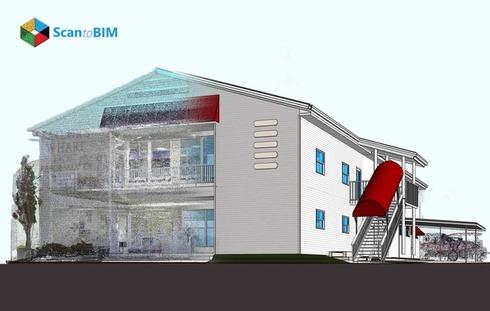
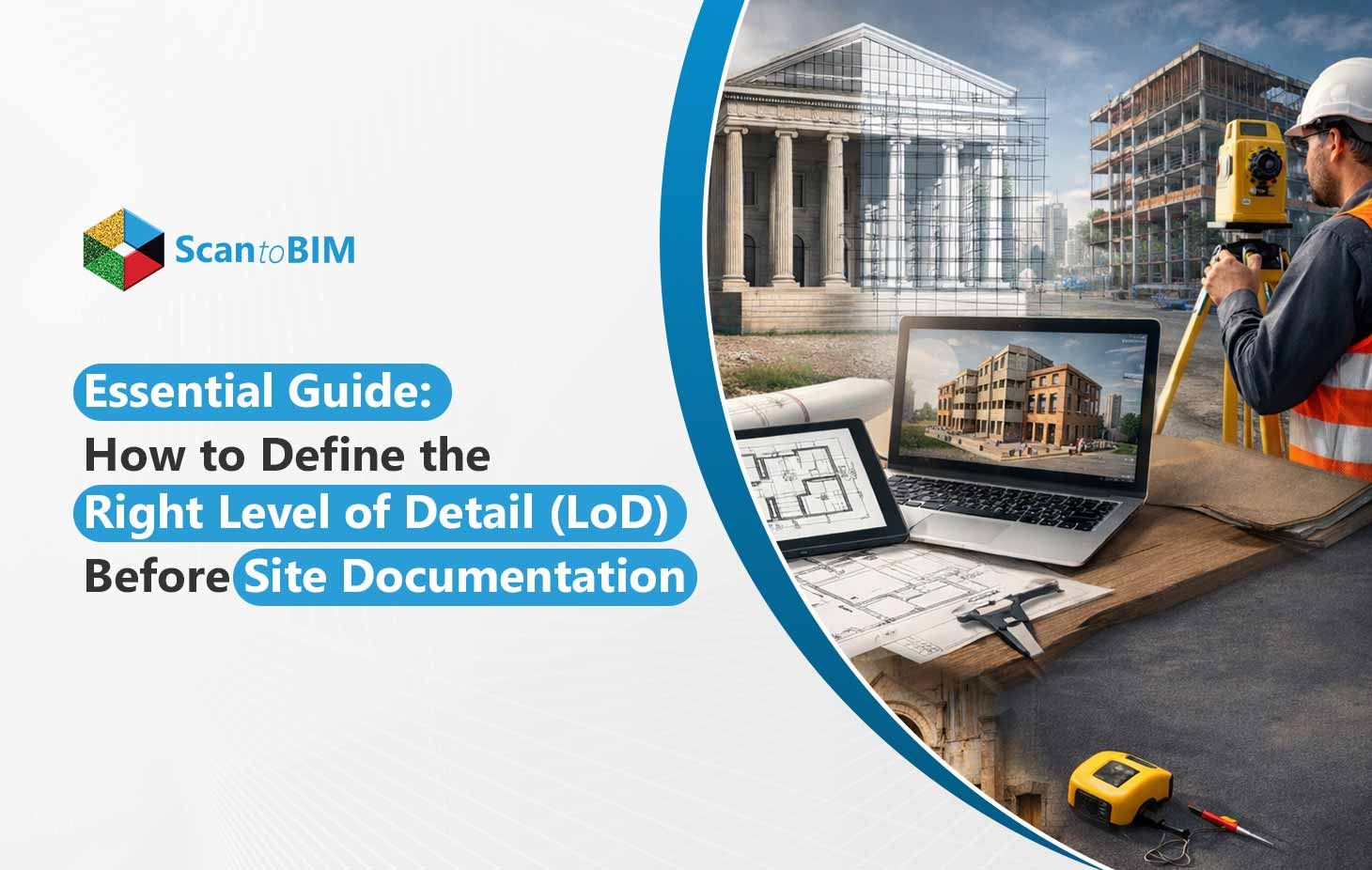
For large US architecture firms, Level of Detail (LoD) is where scan to BIM projects quietly succeed or fail. LoD defines how much geometric detail is captured and modeled, not how polished it looks. When LoD is unclear at the start, teams pay for it later.
Here is what firms see on real projects:
- Modelers guessing geometry instead of tracing verified point clouds
- Rescans triggered mid-project because critical elements were missed
- Rework during coordination when models lack usable detail
Industry research shows that rework can account for 5–10 percent of total construction cost when planning and data issues are present, which translates into significant budget and schedule risk.
Defining LoD early prevents this chain reaction. It aligns scan scope, modeling effort, and downstream use such as coordination or renovation design. For decision makers, LoD is not a technical setting. It is a cost control lever that protects schedules, fees, and client trust before scanning even begins.
How to Choose the Right LoD for Your Project
Choosing the right Level of Detail (LoD) starts with clear intention. Think of it as a tool that can help you deliver just enough geometric information to support specific project requirements without unnecessary work.
What Are the Project Goals and Deliverables?
If your focus is on early concept design or space planning, lower geometric detail works. For construction documentation or detailed coordination, a higher LoD is essential because it directly affects model effort and cost. Higher detail models take longer to create and process, driving up Scan to BIM time and fees.
What Type of Project Are You Delivering?
Renovation and retrofit work demand tighter geometric capture to avoid clashes in existing structures. In MEP coordination or complex facilities such as hospitals, increased LoD improves oversight and minimizes on-site issues.
How Will the Model Be Used?
Models used for clash detection,
cost estimating, or facility management require geometry that supports those analyses. Too little detail reduces clarity, too much detail inflates cost without added benefit. Early LoD definition ensures your model is fit for purpose, saving time and resources.
The most effective teams define LoD based on use, not assumptions, before site documentation begins.
Point Cloud Accuracy: What Do You Need for Each LoD
Accurate point cloud data is the backbone of every Scan to BIM project. Your field measurements must match the intended LoD. Without clear accuracy upfront, modelers guess geometry instead of using reality, causing costly rework, coordination clashes, and delays that can exceed the original scanning investment.
Understanding Survey Accuracy Classes
To align point cloud accuracy with LoD expectations, many US firms reference a quality control framework similar to MALSCE (Massachusetts Association of Land Surveyors and Civil Engineers) or ASPRS (American Society for Photogrammetry and Remote Sensing) for broader US applicability standards. These guidelines define how tightly point clouds should match real‑world coordinates:
- Class A (±1/4 inch / ±6 mm)
High precision point cloud with survey control via closed traverse and total station. Suitable for higher geometric LoD requirements that support detailed modeling and coordination.
- Class B (±1/2 inch / ±12 mm)
Works well for general documentation and moderation detail. Ideal for design development phases where exact connections aren’t yet critical.
- Class C (±3 inches / ±75 mm)
Lower precision point clouds are typically sourced with minimal control. Useful for early planning or conceptual stages where moderate geometric detail is enough.
In practice, if you’re targeting higher LoD geometry (rich edge definition, interfaces between elements), aim for Class A or B accuracy up front rather than retrofitting it later.
Scanning Methods and Accuracy
Different tools capture data at different fidelity levels. Choosing the right technology for your target LoD makes a real difference in quality and cost.
- Terrestrial LiDAR
Best for interior spaces and detailed MEP zones. Providers can achieve sub‑centimeter precision when correctly controlled, making it ideal when higher geometric LoD is required for clash detection and coordinated modeling.
- Drone LiDAR
Excellent for exterior surveys and large campus projects. When coupled with RTK/PPK workflows and ground control points, it can deliver consistent accuracy suitable for medium to high LoD needs.
- Photogrammetry
Very effective for exterior surfaces in clear conditions. Accuracy improves dramatically with quality control points and high image overlap, but it depends more on visual texture and lighting than LiDAR.
Each method has trade‑offs in cost, setup time, and required access. Terrestrial LiDAR tends to be more expensive per sq ft but gives higher fidelity in complex interiors.

How Pre‑Scan Documentation Hits Accuracy Targets
Before boots hit the ground, preparation pays massive dividends. Architecture firms that succeed with Scan to BIM adopt rigorous pre‑scan documentation.
- Survey Control Network
Establish a stable, referenced network of control points across the site. This anchors point clouds to real coordinates, so all scans align accurately.
- Structural Grids and Benchmarks
Capture existing grids, elevations, and architectural benchmarks before scanning begins. This reduces guesswork during modeling.
- Critical Zone Flags
List areas where high geometric LoD is required, like MEP risers, mechanical rooms, historic features, etc. Call these out early so surveyors can increase point density accordingly.
When you define accuracy thresholds by LoD need, and match them with the right scanning method plus disciplined preparation, teams avoid costly blind spots in the field and messy assumptions in the model.
What Common Mistakes Do Teams Make When Defining LoD in Scan to BIM Projects?
Defining the right Level of Detail is unlike choosing paint colors. It shapes coordination, cost, and delivery quality. Too often teams fall into predictable traps that slow progress and erode trust.
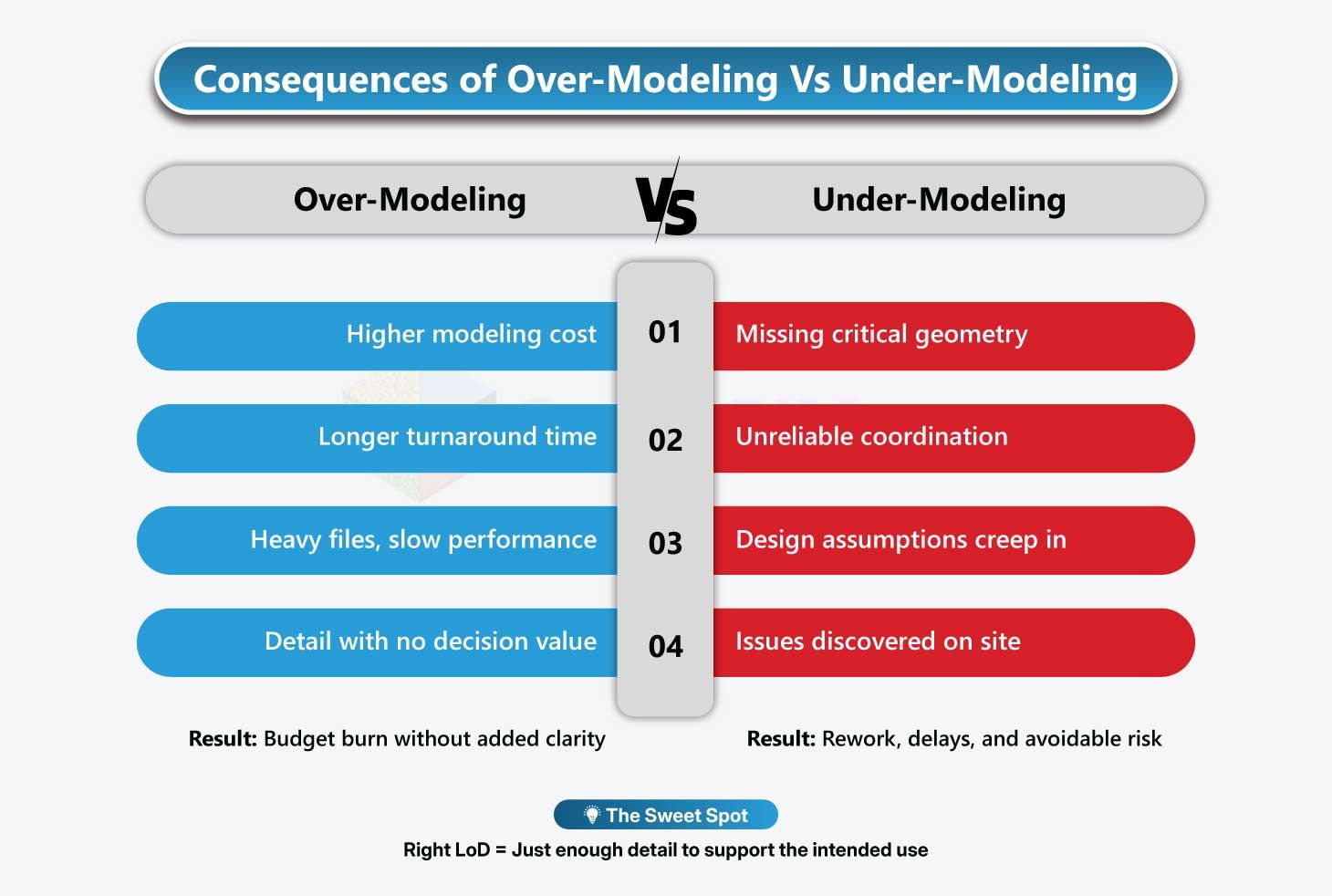
- Over-modeling
Many project teams assume more geometric detail is always better. Over-modeling burdens files, complicates updates, and wastes effort on elements that never influence decisions. Excessive detail can slow performance and inflate costs without adding value when the model is used for design reviews or coordination.
- Under-modeling
Using low geometric LoD in complex contexts, like MEP coordination or renovation BIM LoD scenarios, leads to gaps in model completeness. Missing geometry can mean unresolved clashes, hidden conflicts, and late design changes that drain budgets and delay schedules.
- Inconsistent LoD across trades
When architectural geometry is detailed but structural or MEP geometry is not, coordination reviews flag conflicts that should have been resolved earlier. Early alignment across disciplines prevents avoidable rework and miscommunication.
- Confusing detail with visuals
LoD is not about how pretty a model looks. It is about geometric depth that supports coordination, estimating, and execution. Prioritizing visual polish over usable geometry undermines accuracy and innovation.
Hence, keep LoD purposeful and aligned with real project needs, not assumptions.
Conclusion: Key Takeaways for US Architecture Firms
Getting LoD right is not a modeling preference. It is a risk decision.
- Define scope clearly before scanning
- Select the LoD based on how the model will be used
- Verify point cloud accuracy early
- Document and sign off LoD in the BEP
This approach reduces rework, limits coordination risk, and keeps projects predictable. Industry standards like AIA G202 and the BIM Forum LoD Specification 2024 exist to support exa
ctly this kind of clarity and should always be reflected in the BIM Execution Plan. Firms that plan BIM rigorously see real returns. According to a Report, over 80 percent of contractors reported reduced errors and rework when BIM scope and data requirements were clearly defined upfront.
Turn real-world conditions into reliable BIM models.