Point Cloud to BIM services transform existing building data into actionable models for owners. Choosing the correct Level of Development directly affects project clarity and decision-making. LOD defines how models support planning, coordination, and construction readiness. Understanding the difference between LOD 300 and LOD 400 helps owners align modeling effort with project goals.
Why LOD Matters for Building Owners
Level of Development is a standardized framework defined by AIA Contract Documents and detailed in BIMForum LOD Specification. It defines the detail, accuracy, and reliability of BIM elements at various project stages, including those generated through Point Cloud to BIM Services. LOD communicates the usability and trustworthiness of model elements to all stakeholders, including project owners, architects, engineers, and contractors. It provides a common language for multidisciplinary teams, improves coordination, reduces RFIs, and helps manage construction conflicts. LOD guides scope, budget, and project timelines by clarifying what each model element represents and what decisions can be made from it. The focus is on reliability and data depth, not just visual appearance since graphical look alone cannot convey usable information.
- Defines what the BIM model can support
- Sets expectations for accuracy and usability
- Guides cost and timeline planning
- Supports clear decision-making
- Acts as a shared reference for project teams
- Improves coordination across disciplines
- Lowers RFIs and field conflicts
- Aligns vendors and contractors
- Safeguards owner budget
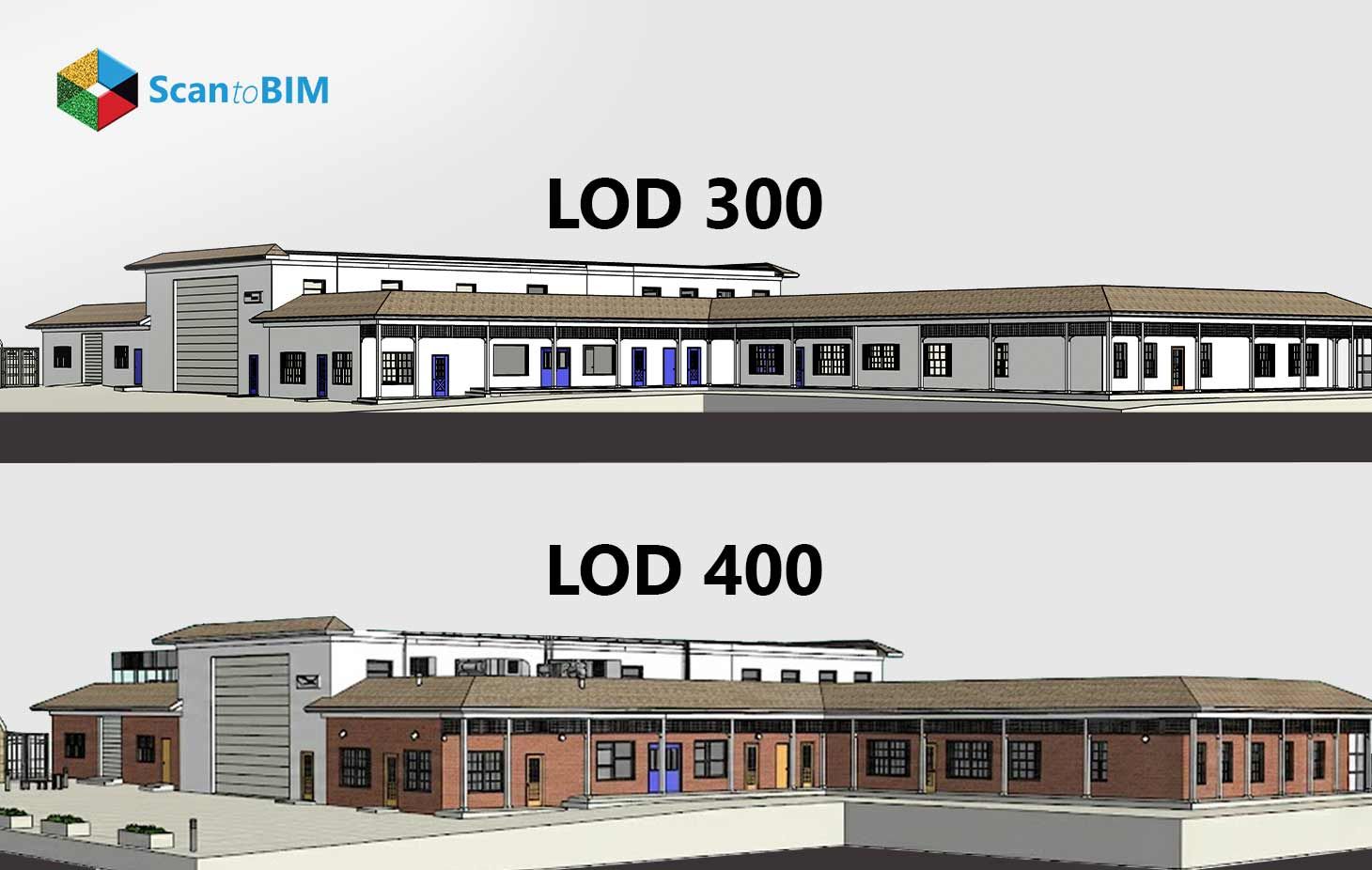
LOD helps project stakeholders use BIM models with confidence. An LOD 300 model supports planning for equipment, HVAC, and spatial layouts. While LOD 400 provides construction-ready fabrication details that contractors can apply directly. Selecting the appropriate LOD links model depth to project goals, guides budget, and clarifies what decisions each team makes. It provides clear information on which tasks require additional design, fabrication, or field verification. This allows the model to serve as a consistent reference throughout planning and construction.
Overview of Point Cloud to BIM for Existing Assets
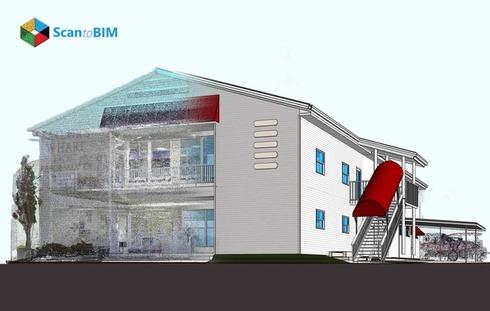
The Point Cloud to BIM Process starts with laser scanning existing buildings to capture millions of data points reflecting actual site conditions. Modeling teams convert point cloud to Revit model environments or other BIM platforms, creating intelligent building elements such as walls, doors, and MEP systems. Higher LOD levels require greater scan resolution and accuracy. The resulting BIM model becomes the central reference point, replacing outdated drawings and fragmented records. Project stakeholders use these models for renovations, retrofits, space validation, coordination, cost estimation, and construction planning. 3D Scan to BIM services enables data-driven decisions for design, construction, and heritage preservation. It provides highly detailed measurements and parametric objects to support every stage of the project.
Understanding BIM Level of Development
BIM Level of Development explained in owner terms describes how much usable information each model element carries. LOD focuses on information accuracy, data richness, and actionable usability, while Level of Detail refers only to visual or graphical complexity. The LOD framework guides project teams on what decisions a model can support at each stage. The LOD scale ranges from LOD 100 conceptual phase to LOD 500 as-built model. Each level specifies geometry, non-graphical data, and reliability, helping teams understand the intended use of model elements. LOD 300 and LOD 400 are key stages for stakeholders, supporting design, coordination, and construction/fabrication readiness.
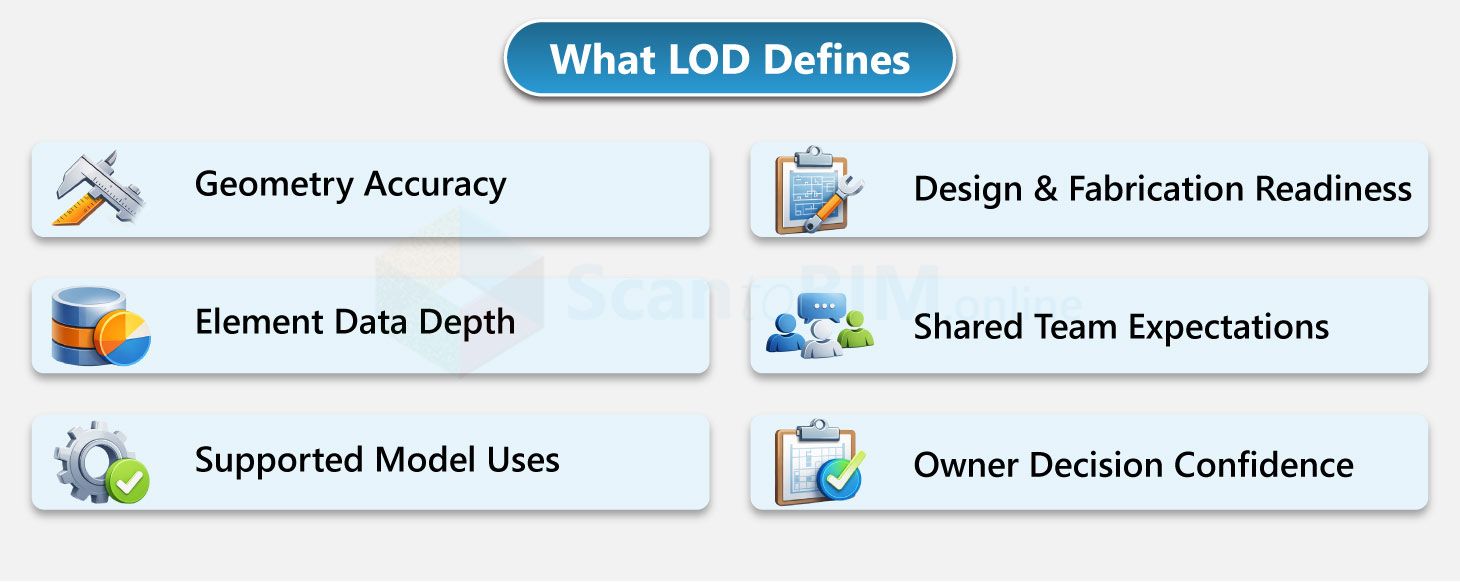
The LOD framework standardizes communication across project teams and clarifies how much information each model element contains. It guides teams on which tasks and decisions are supported by the model at each stage. LOD 300 models provide accurate geometry for design and coordination, while LOD 400 models deliver construction-ready details for fabrication. LOD helps project teams use BIM effectively for planning, design, and construction tasks while aligning expectations and roles across disciplines.
LOD 300 Explained: Design and Planning Use Cases
Point Cloud to BIM LOD 300 represents design intent with accurate size, shape, location, and orientation of building elements derived from LiDAR scanned data. It describes model elements with measurable and reliable geometry, allowing teams to use the model directly for design and planning tasks. LOD 300 includes quantity, placement, and spatial accuracy, with optional non-graphical information such as specifications or material data. It is widely used as the baseline standard for existing building documentation, including heritage and HBIM projects
Key Features of LOD 300
- Accurate geometry elements
- Defined quantity and orientation for model components
- Elements measurable directly from the BIM model without external notes
- Optional non-graphical data, such as material or specification information
- Scan-based accuracy suitable for existing asset documentation
- Recognized minimum standard for renovation and heritage modeling
Primary Use Cases
- Renovation and retrofit planning
- Design development and construction documentation preparation
- Spatial validation and clearance verification
- Quantity take-offs and cost estimation
- BIM coordination across architectural, structural, and MEP teams
- HVAC layout planning and structural fit checks, where spatial fit and clearances are validated
LOD 400 Explained: Construction and As-Built Value
Point cloud to BIM LOD 400 represents construction intent with fabrication-level geometry, assemblies, and installation detail. At this stage, teams Convert Point Cloud to Revit Model data with manufacturer-specific dimensions, connections, and tolerances, allowing the model to be used directly for construction activities. It contains detailed connections, supports, assembly logic, and installation sequences, with optional non-graphical data such as product and manufacturer information. This level supports direct construction decisions, as contractors rely on the model for ordering, fabrication, and on-site assembly without added verification.
Key Features of LOD 400
- Fabrication-level geometry for all modeled elements
- Detailed connections, supports, and assemblies
- Exact component dimensions based on manufacturer data
- Defined installation sequences and clearances
- Data suitable for shop drawing generation
- Information aligned with construction execution
Primary Use Cases
- Shop drawing production
- Fabrication and prefabrication workflows
- Modular construction planning
- Installation sequencing and phasing
- MEP-intensive coordination
- Reduced site conflicts during construction
LOD 300 vs LOD 400: Key Differences Owners Should Know
| Aspect | LOD 300 | LOD 400 |
|---|---|---|
| Core intent | Design intent | Construction and fabrication intent |
| Primary purpose | Design and coordination | Fabrication and construction execution |
| Owner question answered | What exists and where it sits | How it gets built and connected |
| Geometry accuracy | Accurate size, shape, and location | Fabrication-ready geometry |
| Level of detail | System-level elements | Assembly-level elements |
| Scan Data requirement | Standard registered scans | High-resolution, high-density scans |
| Coordination focus | Object-level coordination | Installation-level coordination |
| Construction use | Planning support | Direct field and shop use |
Practical difference in LOD 300 vs LOD 400 BIM becomes most visible during handoffs between design, coordination, and construction teams. LOD 300 models stop at system representation, which means downstream contractors must interpret intent and perform additional verification before installation. LOD 400 shifts responsibility into the model by embedding constructible logic, reducing reliance on assumptions, field measurements, and supplemental drawings. This distinction affects contract scope, liability boundaries, and coordination ownership, making LOD selection a governance decision rather than a modeling preference.
Insights:
- LOD 300 requires interpretation by contractors for construction tasks.
- LOD 400 embeds constructible logic, reducing field verification needs
Selecting the Right LOD Based on Project Goals
Project stakeholders select LOD based on project phase, downstream use, cost, and timeline. Within 3D Laser Scan to BIM LOD standards USA, the selected LOD defines model depth, modeling effort, scan accuracy, and delivery scope. Design-focused projects use lower modeling depth, while construction-driven scopes require fabrication-level detail. Project complexity, coordination needs, and intended model use guide LOD selection for renovation, construction, and historical projects.
When to Choose LOD 300
- Renovation and retrofit planning
- Design development and spatial validation
- BIM coordination across disciplines
- Quantity takeoffs and cost estimation
- Facility planning and space management
- Heritage renovation projects
When to Choose LOD 400
- Fabrication and prefabrication workflows
- Modular or off-site construction
- MEP-intensive projects with tight clearances
- Shop drawing and installation sequencing
- Construction execution and as-built value
Strategy (mixed LOD):
Many projects apply LOD 300 for general systems and LOD 400 selectively for critical components. This approach balances Accuracy, cost, and project priorities while aligning modeling effort with construction value
Cost, Accuracy, and Long-Term Value Considerations
LOD directly affects modeling effort, accuracy, cost, and overall usability. Higher LOD requires more modeling time, tighter review cycles, and higher scan resolution, which increases cost and accuracy together. LOD 400 modeling costs are 25–50% higher than LOD 300 due to fabrication-level detail and validation needs. Clear LOD selection supports budget planning, schedule control, and effective use of BIM data across the project lifecycle.
Short-Term Costs vs. Long-Term Value
LOD 300 supports cost-effective planning and coordination activities. Teams use it for design coordination, quantity takeoffs, and cost estimation with lower modeling effort. This level fits early project stages where planning speed and cost control matter most. LOD 300 aligns well with design-focused scopes and avoids unnecessary modeling of non-critical elements.
LOD 400 adds long-term construction and operational value. Fabrication-ready models support construction execution, prefabrication workflows, and accurate installation planning. This level also contributes to as-built documentation, which supports facility management and future renovations. Selecting the right LOD avoids over-modeling and directs resources to elements that affect construction accuracy and lifecycle performance.
Conclusion: Making the Right BIM Investment Decision
LOD selection directly controls how a Point Cloud to BIM model gets used and how much it costs over its life. LOD 300 supports design coordination, space validation, and cost planning with faster delivery and lower modeling effort. LOD 400 supports fabrication, installation sequencing, and construction execution where precision affects outcomes. Owners should define which systems drive decisions and which teams use the model next. This clarity limits over-modeling, aligns scan scope, and reduces construction-phase uncertainty. The right LOD choice converts BIM from a visual asset into a controlled project tool.