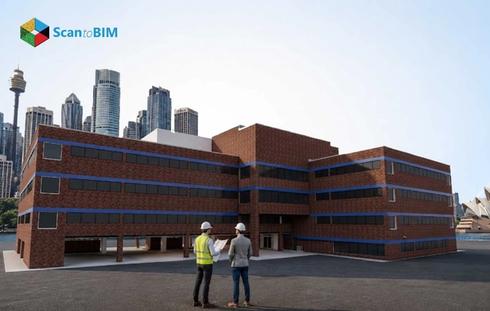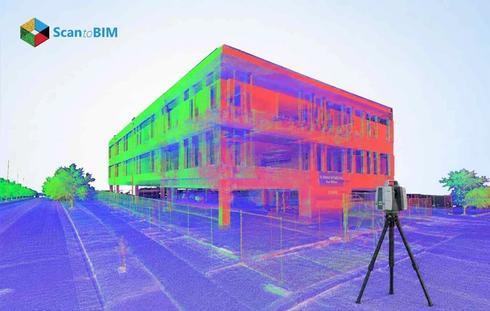
Reality capture workflows have transformed how AEC professionals document existing structures. Converting 3D laser scan data into intelligent BIM models accelerates design decisions. Expert BIM teams across renovation, retrofitting, and heritage renovation projects apply this workflow daily. Accurate as-built documentation directly affects construction outcomes. A structured workflow removes guesswork from field conditions. It connects physical structures to digital construction processes with measurable results.
Every phase from data capture to model validation carries distinct technical demands. Point cloud processing requires careful interpretation. Coordination across disciplines adds further complexity. Addressing these friction points early protects project timelines.
Why Architectural Projects Are More Complex in Scan to BIM
Architectural projects demand a higher level of geometric interpretation compared to structural or MEP work. Facades, ornamental details, and curved surfaces require careful manual judgment. Standard BIM tools address regular components with ease. Irregular elements demand additional expertise along with project-specific decision-making.
- Lack of Standardization: Architectural elements lack uniformity, making automated recognition from point cloud data difficult.
- Hidden Complexity: Heritage and renovation projects carry undocumented modifications and deteriorated materials that complicate the modeling scope.
- Stakeholder: Multiple stakeholders bring different model expectations, increasing coordination demands.
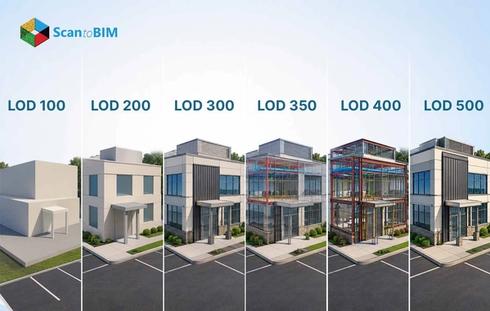
LOD decisions require a balance between visual accuracy and model performance. Over-modeling creates heavy, unmanageable files. Under-modeling reduces usability for downstream teams. Every LOD choice affects coordination across the project lifecycle.
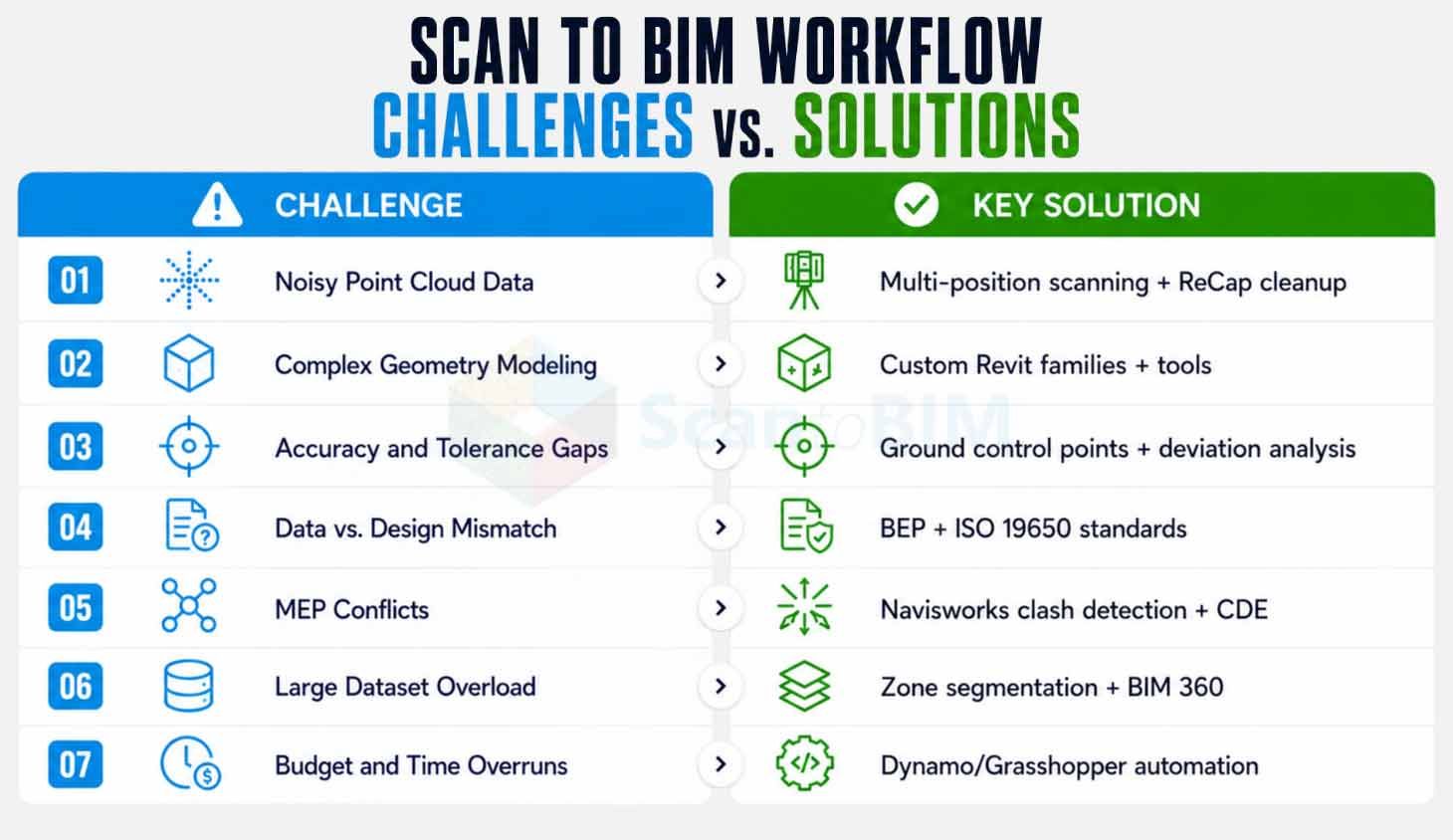
Understanding the Challenges in Architectural Scan to BIM
Architectural scan to BIM projects bring together field-captured data and digital modeling demands at every stage. Each project carries its own technical hurdles shaped by site conditions, building complexity, and stakeholder requirements. The challenges below cover the most common friction points teams face across data capture, modeling, coordination, and delivery. Understanding each one helps teams plan workflows that protect accuracy, timelines, and budgets from the start.
Incomplete or Noisy Point Cloud Data
Physical obstructions create gaps in scan coverage. Reflective surfaces scatter laser signals into inaccurate data points. Shadows introduce noise that reduces geometric clarity across the dataset. These conditions collectively slow down the modeling process and increase remodeling work.
- Strategic Scan Planning: Plan multiple scan positions with overlapping coverage to capture blind spots and fill data gaps across the site.
- Field Supplementation: Supplement scan data with highly accurate site photographs and field notes to document areas the scanner reached with limitations.
- Data Cleaning Tools: Use Autodesk ReCap to filter noise, remove redundant points and prepare clean datasets for modeling.
Modeling Complex and Irregular Geometries
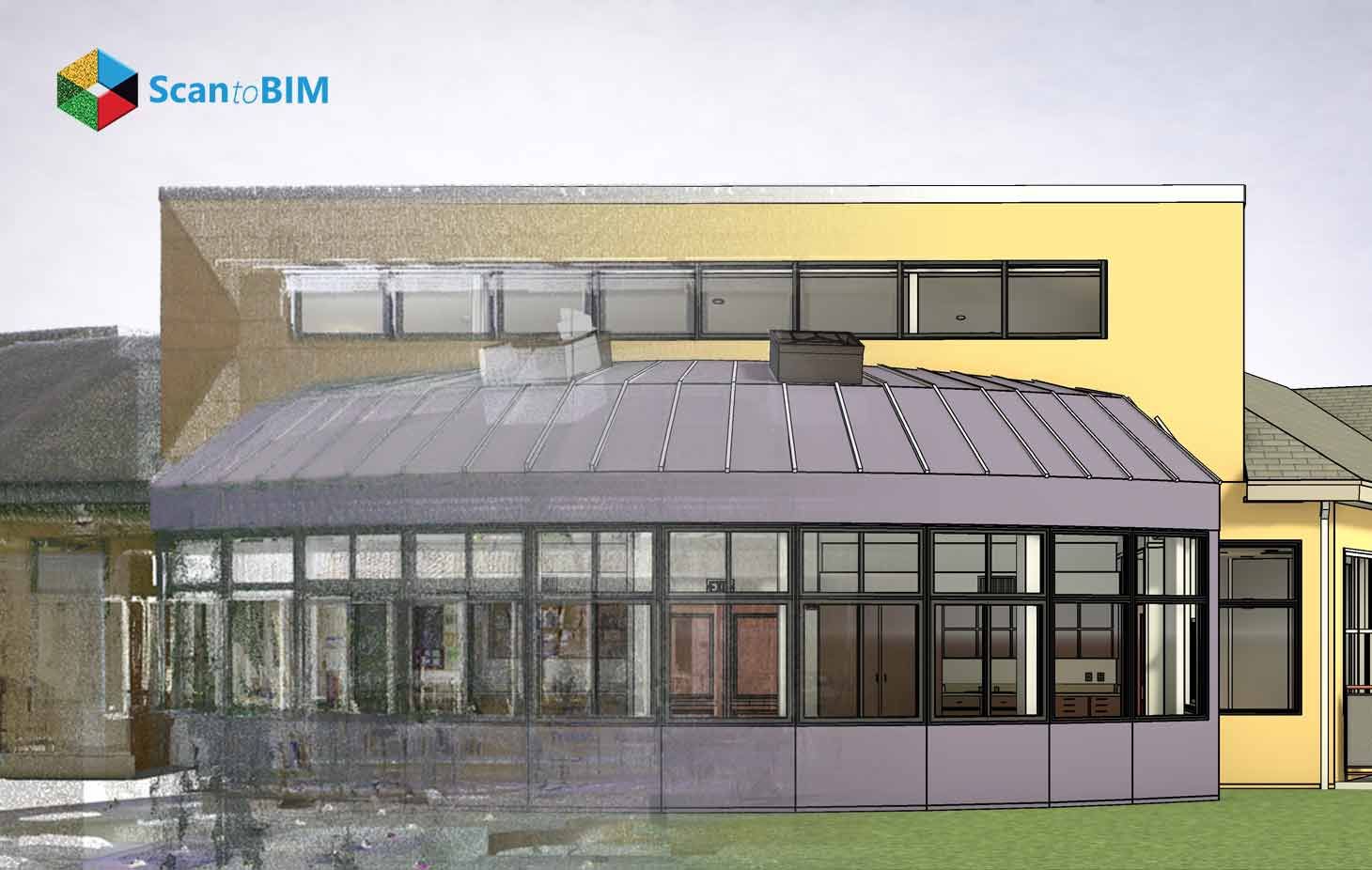
Standard BIM libraries suit repetitive components. Curved walls, sloped ceilings, and intricate moldings fall outside these libraries. 3D modeling such features requires advanced tools along with deep architectural understanding. Manual effort increases project time and introduces human error at every modeling stage.
- Custom Parametric Families: Create custom parametric families for recurring irregular elements to improve consistency and reduce rework across projects.
- Advanced Modeling Tools: Apply parametric and freeform modeling tools in Revit to capture non-standard geometries accurately from point cloud data.
- Point Cloud Segmentation: Use point cloud segmentation to isolate specific irregular regions for focused BIM modeling efforts and better geometric control.
Accuracy and Tolerance Issues in BIM Models
Scan noise, registration errors, and modeling assumptions all affect model accuracy. Small deviations in early stages grow into larger construction issues. Tolerance standards vary by project purpose; renovation, coordination, and facility management each require different thresholds. Inaccuracies from early stages propagate through the entire workflow.
- Ground Control Points: Set ground control points across the site to anchor spatial alignment throughout the project.
- Deviation Analysis: Run deviation analysis between the BIM model and the source point cloud to catch discrepancies at each modeling stage.
- Multistage QA/QC: Implement multiple QA/QC review stages involving visual checks, geometric verification, and official validation reports before completion.
Mismatch Scan Data and Design Requirements
Scan data captures existing building conditions. Design requirements involve planned modifications, upgrades, or removals. This gap creates confusion around modeling scope and deliverables. Incorrect LOD selection leads to excessive detail in some areas, along with critical omissions in others.
Working with a structured architectural scan to BIM company helps teams define clear modeling boundaries from the very start. Scope clarity at project kickoff prevents wasted effort across every modeling phase.
- Define Model Purpose: Define the model's purpose, renovation, coordination or facility management at the project kickoff before scanning begins.
- BIM Execution Plan: Write a BEP to align all stakeholders on modeling expectations and LOD targets throughout the project.
- ISO 19650 Compliance: Follow ISO 19650 guidelines to standardize information management and deliverable formats across the entire project lifecycle.
MEP Coordination and Architectural Conflicts
Architectural, structural and MEP systems must coexist within a shared model. Different teams often use separate software platforms with different file formats. These differences create interoperability friction across disciplines. Communication gaps between field teams and design teams amplify modeling errors.
- Coordinate System: Define a unified coordinate system and shared reference points at the start of every project to anchor all disciplines.
- Cloud Collaboration: Use cloud platforms for real time model sharing across disciplines and distributed office locations.
- Clash Detection: Run conflict detection in Navisworks to identify conflicts before construction documents reach the field.
Handling Large Point Cloud Data Sets
High-resolution scans generate datasets ranging from several gigabytes to multiple terabytes. Software performance drops when files exceed the processing capacity. Crashes and slow rendering cut into productive modeling time. Poor data organization amplifies these delays across every team involved.
The scan to BIM workflow performs best when data management protocols match the scale of the project. Teams that segment and structure data from the start maintain consistent processing speeds.
- Zone Segmentation: Segment point cloud data by floor or zone to reduce per-session file loads and improve software stability.
- Density Reduction: Reduce point density after scan registration to optimize software performance without losing critical geometry information.
- Cloud Storage Platforms: Use Autodesk BIM 360 for cloud storage along with collaborative access and structured version control across teams.
Time and Cost Constraints in Scan to BIM Projects
Equipment, software licensing, and skilled labor all contribute to project costs. Complex geometries extend modeling timelines considerably. Clients often request fast delivery without accounting for technical complexity. Poor workflow planning accelerates budget overruns along with missed milestones.
- Detailed Project Plans: Prepare project plans defining scope, milestones, and resource allocation before scanning begins on site.
- Automation Scripts: Apply automation scripts in Dynamo or Grasshopper to reduce repetitive manual modeling tasks and cut labor hours.
- Progress Monitoring: Monitor project progress at regular intervals and reallocate resources to maintain delivery schedules throughout the project.
According to a 2025 case study published in Discover Materials, BIM adoption reduces project timelines by an average of 20% and costs by 15%, while also decreasing design errors by 30% and RFIs by 25%. This proves that structured Scan to BIM workflows directly counter the time and cost pressures architectural teams face.
Solutions to Overcome Scan to BIM Challenges
Each challenge above has a practical fix when teams combine the right tools, workflows, and collaboration practices. The solutions below address the recurring pain points across architectural scan to BIM projects and help teams deliver consistent, accurate outcomes.
Advanced Scanning Technology:
LiDAR scanners, mobile scanning units and drone photogrammetry each capture site data with measurable accuracy. Match scanning equipment to project size and site access conditions. Assess geometry complexity before committing to a specific scanning approach.
Structured Workflow Adoption:
A clear workflow from scanning through modeling to validation reduces project ambiguity. Each stage needs defined inputs, outputs, and quality checks. Document every workflow stage to support team training and future project audits.
Cloud Platform Collaboration:
Cloud platforms give all stakeholders access to current data at any project phase. Version control prevents teams from working on outdated files. Centralized storage removes the risk of data loss across distributed teams.
Automation and AI Tools:
Scripting tools like Dynamo automate geometry creation and repetitive modeling tasks. AI tools assist in feature extraction from point cloud data. These tools cut manual effort and increase output consistency across large projects.
Professional architectural scan to BIM services give teams access to structured workflows along with advanced toolsets calibrated for complex architectural projects.
Best Practices for Architectural Scan to BIM Projects
Every successful project starts with a clear definition of scope, LOD, and end use. Teams that invest time in pre-scan planning capture better data with fewer gaps. Careful scan positioning and target placement form the foundation of a quality workflow. Pre-scanning documentation of existing site conditions adds critical context for modeling teams. A well-prepared scanning plan reduces the number of correction cycles during the modeling phase.
Quality checks at every stage catch errors before they affect downstream work. A Common Data Environment keeps all teams working from a single source of truth. Clear communication between surveyors, modelers, and project managers prevents misaligned assumptions. Modeling aligned with actual project requirements helps protect both budgets and timelines.Teams that update their models continuously throughout the project lifecycle maintain greater coordination accuracy.
Partnering with the right architectural scan to BIM team from project start positions every deliverable for success.
Conclusion
Architectural scan to BIM projects demand technical skill, careful planning, and disciplined coordination across every stage. Data quality, geometric complexity, and large datasets create distinct challenges at each phase of the workflow. Teams that address these through structured processes produce accurate as-built documentation that supports better construction decisions. Structured workflows built on suitable tools, defined LOD requirements, and stage-wise QA/QC ensure point cloud data becomes usable project intelligence. This workflow is increasingly important across all sectors worldwide. The teams that master it deliver faster, more accurate project outcomes.