Introduction to As-Built Modeling for Commercial Buildings
Commercial buildings change constantly. Renovation teams, facility managers and project owners all need accurate data about current conditions. Outdated floor plans create costly gaps between team expectations vs actual site conditions on the ground.
As-built modeling bridges design intent with actual construction reality. It organizes fragmented records, site measurements and legacy surveys into one coordinated digital dataset. Project teams across all AEC disciplines gain a verified starting point for every task ahead.
Commercial properties accumulate decades of tenant fitouts, system upgrades and structural modifications. Each layer of change alters the building in ways that the original drawings fail to capture. Accurate as-built documentation gives every stakeholder a current picture of what physically exists on site. Project owners gain the clarity needed to make confident investment decisions from project day one.
What Is As-Built Modeling in Construction?
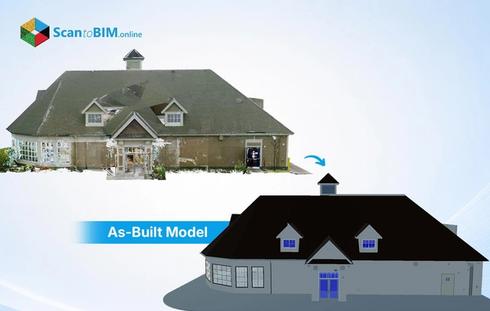
As-built BIM modeling documents the actual constructed state of a facility. It captures field changes and design revisions alongside material substitutions that occurred during construction. Every deviation from the original plan gets recorded within one verified reference. This record serves as the foundation for every renovation, retrofit and facility management decision that follows.
As-built modeling for commercial buildings addresses the layered complexity of large-scale facilities. Each building element carries associated data including materials and installation dates, alongside system specifications. This approach transforms fragmented documentation into an actionable reference for stakeholders. Modern as-built workflows integrate data from laser scans, historical drawings, and current field surveys. Combined source validation produces documentation far more accurate than methods that depend on a single data source.

Why Existing Commercial Buildings Need Accurate As-Built Models
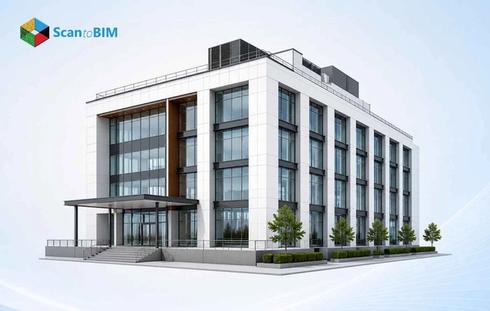
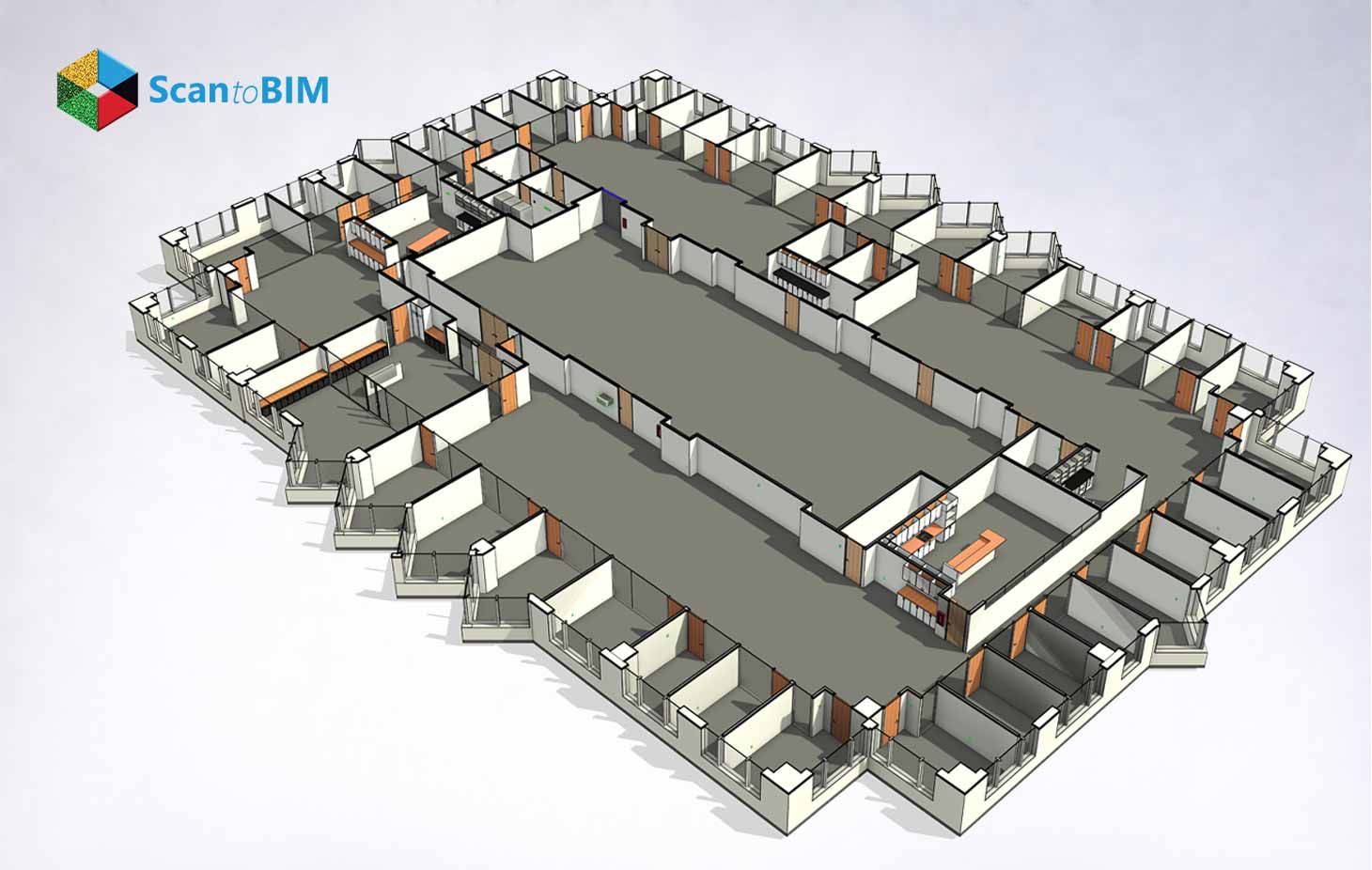
As-built BIM for office buildings tackles the layered complexity of multi-tenant commercial properties. Asset managers gain clear documentation of every floor’s current configuration, support systems, and structural layouts. Leasing teams access accurate floor plate measurements for dependable tenant proposals. Capital planning teams use this same data to prioritize system replacements, budget renovations, and extended facility forecasts. This documentation gives every decision-maker a dependable view of the building's current operational state.
- Hidden MEP conflicts in ducts, conduits, and pipes cause major renovation delays
- Load-bearing walls and structural elements require field verification before modifications
- Undocumented retrofits create discrepancies that manual surveys miss entirely
- Regulatory audits demand verifiable, timestamped building condition records
- Adaptive reuse projects need feasibility data for effective space conversion decisions
- Capital planning cycles depend on the current documentation of system ages and capacities
Scan to BIM services deliver verified documentation directly from actual site conditions. Each model reflects the building's true state across structural elements, mechanical systems, and electrical layouts. Project owners gain a single coordinated dataset for every downstream decision. This dataset eliminates competing documentation versions across project teams. Every stakeholder references the same geometry, system data, and verified field conditions throughout the project lifecycle.
Scan to BIM Workflow for As-Built Modeling
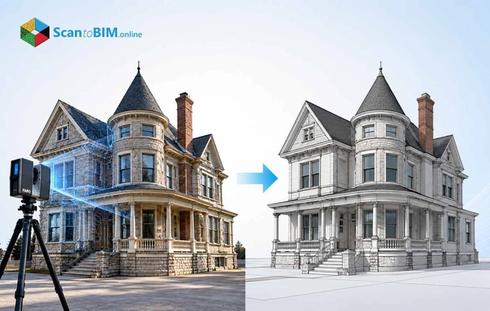
The Scan to BIM workflow converts physical building conditions into verified BIM deliverables through a structured sequence. Understanding the steps in as-built modeling helps project teams plan timelines, allocate resources, and set LOD targets from project start.
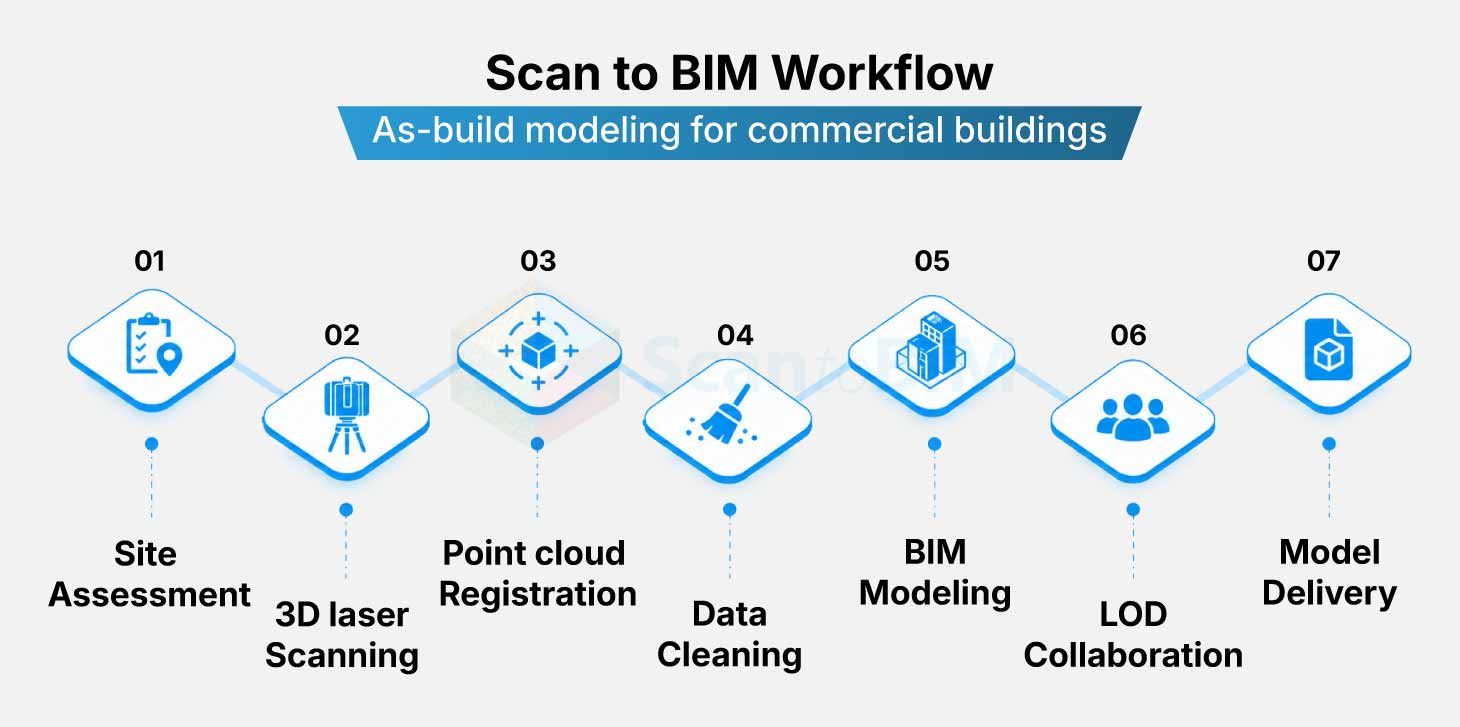
Step 01: Site Assessment
The team evaluates site access, scanning zones, and documentation gaps before mobilizing any equipment. This step defines the scanning plan and LOD targets for the full project. The scanning plan specifies zones and access requirements, along with equipment setup positions for maximum data coverage.
Step 02: 3D Laser Scanning
Survey crews deploy terrestrial LiDAR scanners across all floor zones. The equipment captures millions of spatial data points per second with millimeter accuracy. Each scanner position captures a full spherical dataset covering all visible building components.
Step 03: Point Cloud Registration
Individual scans align and merge into a unified dataset. Registration removes spatial gaps across multiple scan positions to create one seamless geometric record. The registered point cloud represents the complete building geometry as a single spatially accurate dataset ready for modeling.
Step 04: Noise Filtering and Data Cleaning
The raw point cloud goes through processing to remove irrelevant elements such as furniture and equipment. Clean data accelerates BIM conversion and reduces modeling errors. This stage also corrects scan stitching inconsistencies and prepares the dataset for accurate geometry extraction.
Step 05: BIM Modeling from Point Cloud
Skilled BIM modelers convert the point cloud into intelligent 3D elements. Walls, ducts, beams, and plumbing components take form as parametric objects inside Revit or comparable software. The modeler references the point cloud throughout to verify spatial accuracy during every element creation step.
Step 06: LOD Calibration and Quality Review
The model is checked against the original point cloud and project LOD requirements. Teams correct discrepancies before delivery to protect downstream accuracy. Quality review compares model geometry with point cloud measurements across every key building zone to confirm full coverage.
Step 07: Model Delivery and Integration
The final BIM model is delivered in the agreed format. Project teams use it for design coordination, clash detection, and facility management from day one. Delivery formats include IFC, RVT, and NWD depending on the project’s coordination software requirements.
Level of Development in Commercial BIM Models
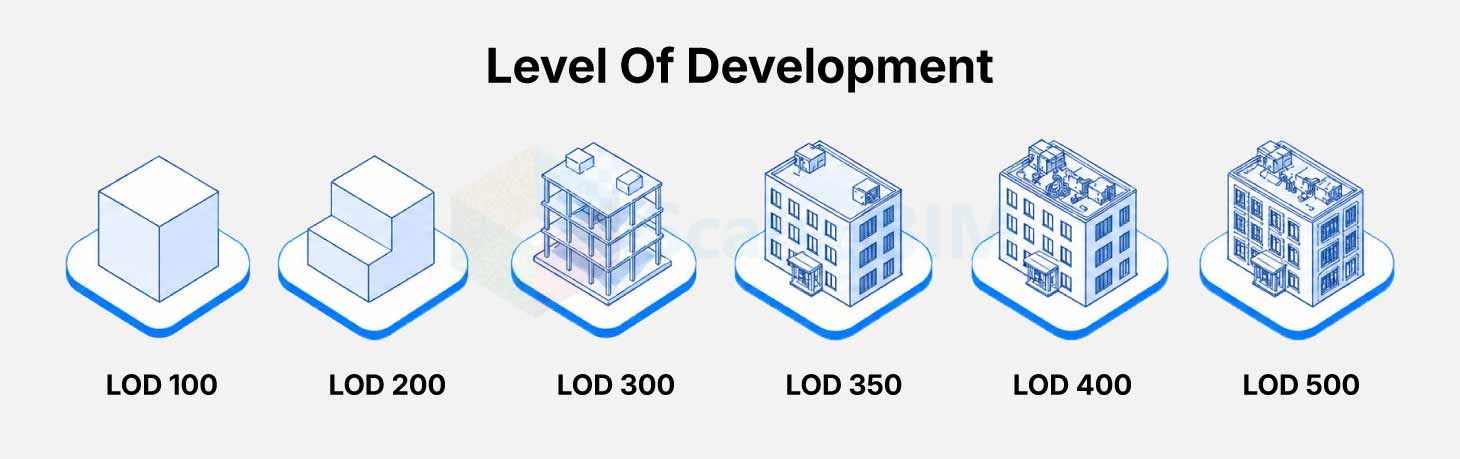
LOD defines the accuracy, geometry, and information content of each BIM element. For as-built BIM for existing buildings, correct LOD selection prevents over-modeling that wastes project resources. Under-modeling produces inaccurate documentation that fails downstream use cases making the LOD strategy a core project decision.
LOD selection also accounts for the LOI data richness embedded within each model object. A wall at LOD 300 carries geometry. That same wall at LOD 500 carries verified material specifications, installation date, and maintenance history for full lifecycle use. Different building systems within a project may require different LOD levels to match their actual usage demands.
| LOD Level | Description | Common Use Case |
|---|---|---|
| LOD 200 | Approximate geometry with basic system representation | Concept planning, early design |
| LOD 300 | Exact geometry with precise dimensions & location data | Design coordination, permit drawings |
| LOD 350 | Full coordination geometry with MEP connection details | MEP clash detection, construction documents |
| LOD 400 | Fabrication-level detail with installation specifics | Prefabrication, shop drawings |
| LOD 500 | Field-verified as built conditions with full embedded data | Facility management, digital twins |
As Built BIM vs Traditional Drawings reveals a measurable gap in accuracy and long-term utility. Static drawings capture one moment in a building's history. LOD-calibrated BIM models carry verified field data across every renovation phase, and support full asset lifecycle operations.
Common Challenges in As-Built Modeling Projects
Challenge 1: Incomplete Documentation
Older commercial buildings frequently carry construction drawings that predate decades of modifications. Project teams discover critical documentation gaps only after field work begins. Proceeding without verified records leads to costly schedule disruptions and scope additions.
Solution: LiDAR scanning fills documentation gaps by recording actual conditions directly from the building's surfaces. The technology captures geometry without dependence on archival records. Teams scan directly from accessible areas and use structured offset techniques to capture complex geometries accurately.
Challenge 2: Hidden MEP Systems
MEPF components above ceilings or inside walls remain inaccessible to conventional measurement tools. These hidden systems generate the highest volume of renovation conflicts. Missing them during documentation creates serious coordination failures during construction.
Solution: Scan to BIM for existing buildings addresses site access challenges through targeted field protocols. Coordinated scanning strategies with aerial access equipment capture above-ceiling geometry that conventional methods miss entirely.
Challenge 3: Point Cloud Data Volume
Scanning a full commercial building produces datasets measuring several gigabytes. Processing this volume strains standard workstations and extends project timelines. Teams without structured data management strategies face delays before modeling can begin.
Solution: Structured data segmentation combined with cloud processing platforms keeps projects moving without sacrificing model quality. This approach scales to projects of any size. Project managers gain live visibility into processing progress through shared cloud dashboards and review platforms.
Challenge 4: Skill Requirements in BIM Conversion
Converting raw scan data into intelligent BIM objects demands expert interpretation from skilled modeling teams. Automated tools accelerate portions of the conversion process. Final element classification decisions remain in the hands of trained BIM professionals.
Solution: Partnering with experienced as-built BIM modeling services teams brings structured quality control to every project phase. Their protocols reduce conversion time alongside measurable improvements in final model accuracy.
Challenge 5: Stakeholder Coordination Gaps
LOD misalignment and conflicting deliverable formats create friction among project stakeholders. These gaps surface late in project timelines, making resolution far more costly than early prevention. A BIM Execution Plan defined upfront eliminates coordination risk from the start.
Solution: BIM execution plans document all deliverables, formats, and responsibilities before modeling begins. Early alignment among stakeholders prevents costly revisions during production. The BEP also specifies accuracy tolerances, review milestones, and handover formats that all parties agree to upfront.
Benefits of As-Built BIM for Renovation and Retrofit
As-built BIM gives renovation teams a verified foundation at project start. It replaces field assumptions with spatial data captured from actual building conditions. This reduces rework, shortens coordination cycles, and improves budget predictability across commercial retrofit projects. Project owners gain confidence in cost estimates from day one. Contractors work from verified measurements rather than guesswork. This reduces change orders throughout the construction phase. This approach transforms the entire renovation process from reactive responses into proactive project planning.
- Clash detection between new systems and existing infrastructure starts in the design phase
- Prefabrication accuracy improves when fabricators work from exact field dimensions
- Energy analysis and sustainability upgrades become feasible with full system documentation
- Facility management teams gain asset-level data for predictive maintenance programs
- LEED and BREEAM certification workflows receive documentation support from verified BIM data
- All project stakeholders access one centralized model rather than competing versions
- Long-term capital planning gains accuracy through verified MEP system age and capacity data
Conclusion: Improving Project Accuracy with As-Built Modeling
As-built modeling converts fragmented building data into one coordinated, verified digital record that project teams act on immediately. The combination of reality capture technology and expert scan to BIM services with structured LOD standards delivers measurable accuracy on commercial renovation projects. Teams that adopt this approach gain stronger cost control, fewer field conflicts, and better outcomes across every phase of building lifecycle management. Digital twin adoption in commercial facilities depends on verified as-built data as the foundation of every intelligent management platform. The investment in accurate documentation today supports smarter building operations for decades ahead.