School buildings across the United States require careful planning for repair, upgrades, and long-term maintenance. Many of these buildings were built decades ago, which may have limited, outdated, or incomplete documentation. Over time, multiple renovation layers, undocumented changes, and aging MEP systems make reliable planning increasingly difficult.
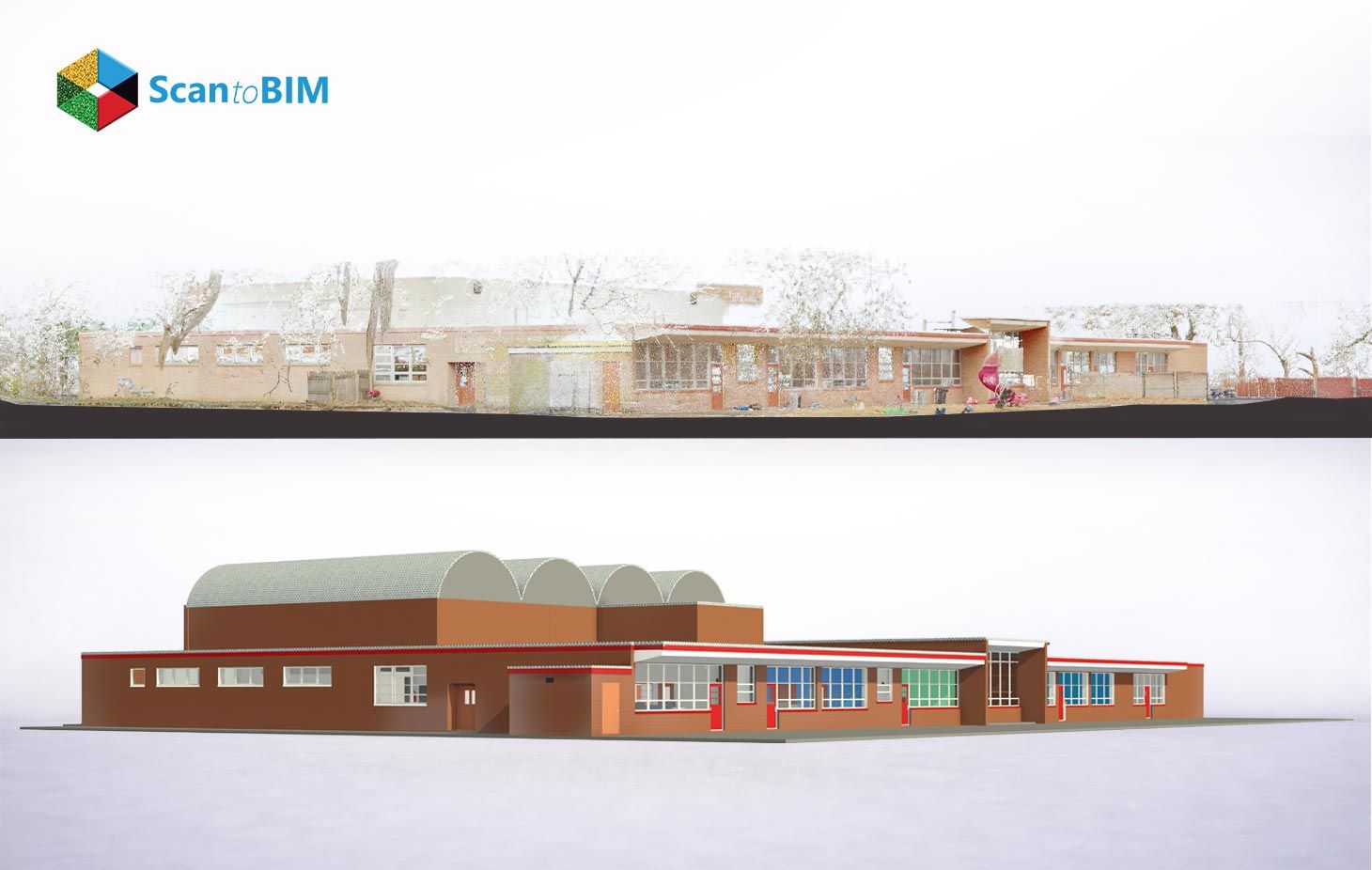
Scan to BIM for existing school buildings converts point cloud data into clear digital models that show actual building conditions. These models give architects, engineers, and contractors one shared reference for design and construction. This workflow matters because older schools include incomplete drawings, multiple renovation layers, and complex MEP systems. As a result, project teams gain better understanding before design starts and improve coordination during execution.
The National Center for Education Statistics reports that more than 38% of U.S. public school buildings were built before 1970. These buildings fall within a 45–75-year age range where systems need major upgrades.
The American Society of Civil Engineers assigns a D+ grade to school infrastructure with an $85 billion maintenance backlog. Scan to BIM supports this condition by providing accurate building data, reducing contractor contingency by 8–15%, and improving asset tracking through COBie-enabled facility management systems.
Why Existing School Buildings Require Accurate BIM Models
Design teams working on school renovation projects face major gaps between drawings and actual conditions. These gaps affect structure, layout, and building systems. Laser scanning for school building projects captures real geometry and removes uncertainty from design decisions. As a result, teams plan with clarity and reduce risks during construction.
- Up to 300 mm wall position deviation in pre-1980 as-built surveys
- 20–30% of interior partitions in 1970s additions missing from any existing drawings
- 52% reduction in RFIs on projects using scan-derived geometry compared to legacy CAD documentation
Older school buildings show layered MEP systems, reduced ceiling space, and undocumented changes across decades. Point cloud data reveals actual plenum depths, routing paths, and system overlaps for accurate coordination. Accessibility planning also improves through early digital review of layouts and dimensions. These models support education facility management by organizing asset data, improving maintenance tracking, and allowing faster decision-making for upgrades and compliance requirements.
How Scan to BIM Works for Existing School Facilities
The Scan to BIM workflow follows a structured process that converts field data into digital models. This sequence supports point cloud to BIM for schools with clear steps and defined outputs.
Phase 1 Pre-Scan Planning
The BIM Manager defines scope, sets accuracy levels, selects deliverable formats, and plans access with facility teams to align scanning activities with school operations.
Phase 2 Field Data Acquisition
Scanning teams capture building geometry using TLS and SLAM systems. Crews place targets and scan corridors, classrooms, and technical spaces with planned coverage.
Phase 3 Point Cloud Registration
Software aligns multiple scans into one dataset using overlap and targets. Teams connect data to project coordinates for accurate positioning across the building.
Phase 4 Point Cloud Processing
Teams clean and organize scan data by removing noise and segmenting files. This step prepares manageable datasets for modeling across floors and zones.
Phase 5 BIM Authoring in Revit
Modelers trace walls, systems, and components from the point cloud. They apply modeling standards and verify geometry through deviation checks before approval.
The workflow balances scan coverage and accuracy across building areas. A typical 50,000 SF school requires 120–200 scan positions with controlled spacing. Teams process large datasets into structured models for design use. Quality checks confirm alignment between model and scan data, supporting accurate project execution.
Role of 3D Laser Scanning in School Documentation
Scanning hardware selection defines data quality, accuracy, and operational efficiency in school documentation workflows.
Terrestrial LaserScanners(TLS) capture highly detailed scanned data with accuracy across large areas. These systems support laser scan to BIM services school renovation by documenting structural elements, facades, and technical spaces in detail. Equipment such as Leica RTC360 records millions of points per second with strong coverage. Teams capture gymnasiums, auditoriums, and kitchen zones effectively. Field crews manage reflective surfaces through controlled positioning and additional scan angles to maintain consistent data capture quality.
SLAM-based mobile scanners capture continuous spatial data across corridors and classrooms during active school hours. These systems use LiDAR, IMU, and visual tracking to maintain position accuracy. Operators complete large building coverage within hours, improving productivity. Data processing removes movement artifacts and preserves static geometry. Target placement at regular intervals improves tracking performance in long corridors and supports stable mapping results across complex layouts.
Hybrid workflows combine TLS and SLAM systems to balance accuracy and efficiency across school campuses. Teams use shared control targets to align datasets and achieve consistent results across all zones. Additional tools such as drone photogrammetry capture roof and facade geometry creating a unified building model for complete documentation.
Benefits of Scan to BIM for School Renovation Projects
Scan to BIM for renovation projects deliver measurable improvements across design, coordination, and construction phases. Verified models provide accurate inputs that support planning decisions and reduce uncertainty across project teams. Projects that adopt achieve better coordination outcomes and faster execution timelines.
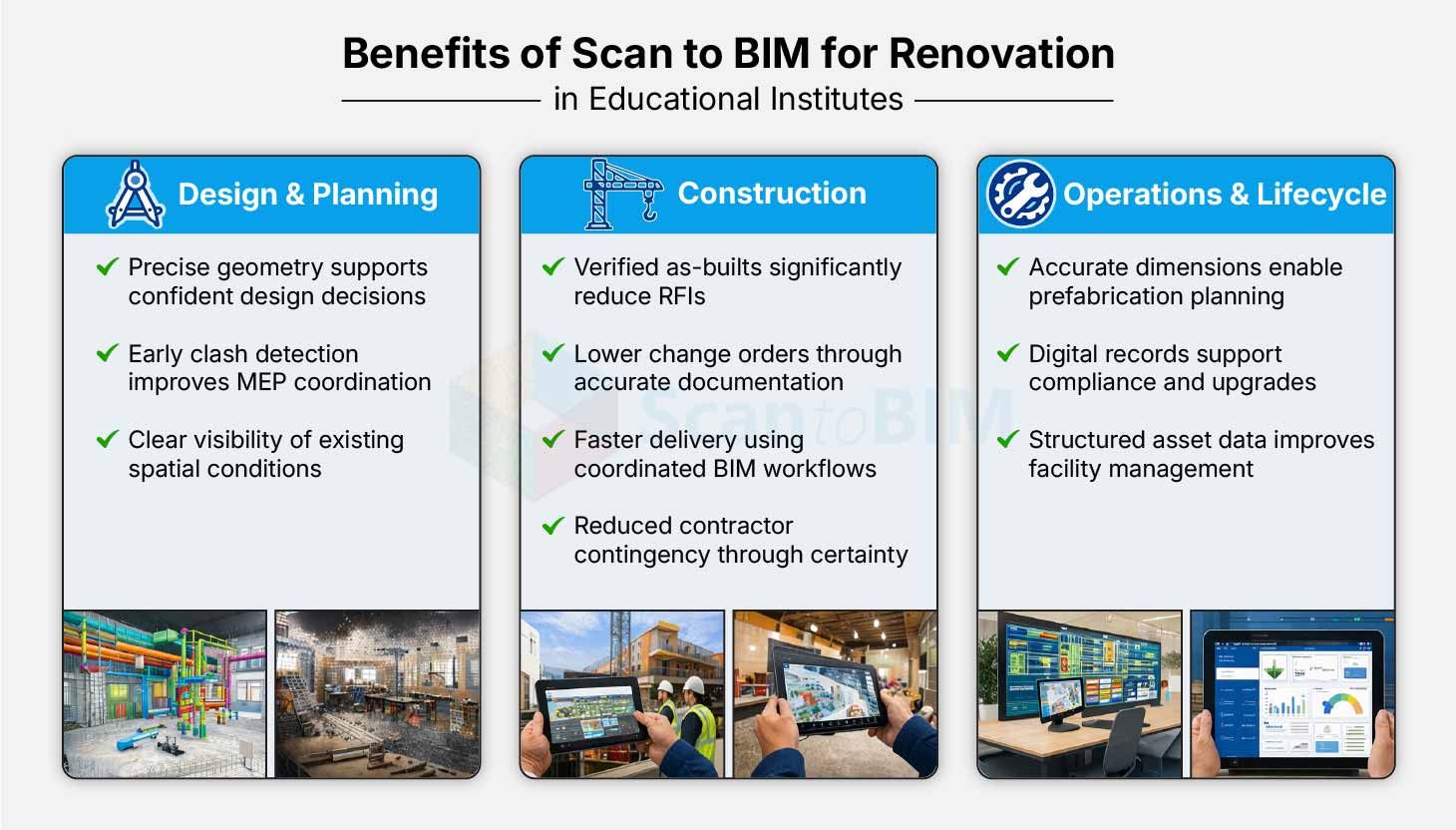
- Reduced RFI volume through verified as-built conditions
- Lower change order risk during construction phases
- Improved MEP coordination through early clash identification
- Faster project delivery through coordinated workflows
- Cost savings from resolving issues before construction
- Reduced contractor contingency through accurate documentation
- Enhanced prefabrication planning using real dimensions
- Digital records support compliance and long-term reference
Industry research shows that accurate BIM models reduce RFIs by 40–65% and lower change orders by 28%. A $15 million school project can save over $100,000 through reduced RFIs alone.
Applications in School Facility Management and Upgrades
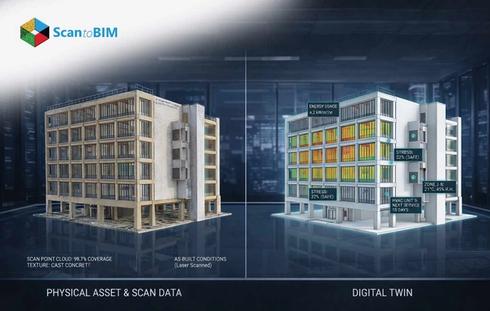
An as-built BIM model supports long-term operations through a digital twin that connects geometry with system data. Facility teams monitor HVAC performance through IoT platforms and track equipment behavior using sensor inputs. Staff access asset data through QR-linked systems for lighting, plumbing, and mechanical components. This approach improves maintenance workflows, reduces inventory errors by 60–80%, and supports structured Education facility management across campuses.
BIM models support planning and compliance through accurate space and system data. Teams use model outputs for energy analysis, safety planning, and accessibility audits. Digital workflows reduce survey effort by 50–70% and improve decision-making for upgrades. Visualization tools support solar planning and infrastructure upgrades with verified structural data, helping teams plan future improvements with clarity and confidence.

- Location : New York, USA
- Type of Building : Educational
- Level of Detail (LOD) : 300
- Trades Covered :Architecture and Structure Model
- Software : Revit

Challenges in Scan to BIM for Existing School Buildings
Institutional buildings introduce operational, regulatory and technical constraints that affect scanning and modeling workflows. Project teams address these conditions through structured planning, controlled execution and coordination with facility stakeholders across different building zones and systems.
1. Off-Hours Access Requirements
Schools schedule scanning activities during evenings and weekends for occupied areas. This approach increases labor costs and limits daily productivity. Teams plan hybrid workflows that balance daytime access with controlled off peak scanning to maintain efficiency.
2. Data Privacy and Compliance
Educational environments require strict data handling practices for captured imagery. Teams apply anonymization methods during processing and follow defined protocols for data storage, transfer, and controlled access across all project stakeholders.
3. Restricted Mechanical Room Access
Mechanical and electrical rooms require advance coordination with facility teams and safety procedures. Access planning includes permits, supervision, and scheduling, which adds preparation time and affects project sequencing.
4. Complex Multi-Wing Structures
Campuses often include multiple building additions with varying layouts and systems. Teams manage these conditions through careful control point planning and survey alignment to maintain consistency across all connected structures.
5. Surface Reflection and Absorption Issues
Certain materials affect scan quality through reflection or absorption. Teams address these conditions by adjusting scanner positions, increasing coverage, and performing additional scans to capture complete geometry.
6. Hazardous Material Considerations
Older school buildings contain materials that require identification and documentation. Teams reference facility records and mark affected areas within the dataset to support safe renovation planning and compliance.
7. Large Data Volume Management
Scanning produces large datasets that require structured storage and transfer. Teams use organized workflows and secure systems to manage files efficiently and maintain accessibility for all project participants.
MEP Coordination in School Renovation Projects
MEP coordination plays a central role in school renovation planning because existing ceiling spaces contain multiple system layers from different construction periods. A typical older school includes supply ducts, return ducts, piping networks, electrical conduits, and fire protection lines within limited plenum depth. Engineers require a clear spatial understanding of these systems before routing new services. Digital models generated using MEP scan to BIM provide a complete view of system locations. MEP BIM models help teams plan layouts, avoid conflicts, and maintain proper clearances across all building zones.
Detailed coordination requires advanced modeling with connection elements such as fittings, supports, and access zones. Coordination teams combine discipline models and run regular clash detection to identify conflicts early. Defined clearance rules guide system placement and support safe installation practices. Engineers also use model data to plan structural openings and service penetrations with accuracy. This structured coordination process supports efficient installation, reduces field adjustments, and improves overall project execution quality.
Accuracy and LOD Requirements for School BIM Models
Clear accuracy and level of detail(LOD) definitions guide project expectations and model quality throughout the BIM workflow. Project teams define these requirements within the BIM Execution Plan to align deliverables with design and construction needs. For most school projects, LOD 3 architecture and structure with LOD 3.5 MEP at LOA 2–3 supports effective coordination without excessive cost. Higher accuracy requires closer scan spacing and controlled validation. Teams perform deviation analysis to confirm model alignment with captured data and maintain consistent quality across all modeled elements.
| LOA Tier | Measured Accuracy | Level of Details | Typical School Application |
|---|---|---|---|
| Level 1 | > 30 mm | Level 1 | Pre-design studies and planning |
| Level 2 | 3–10 mm | Level 2–3 | Schematic design and system planning |
| Level 3 | 1–3 mm | Level 3–3.5 | Detailed design and MEP coordination |
| Level 4 | < 5 mm | Level 4 | Fabrication and specialized components |
Best Practices for Scan to BIM in Educational Facilities
The BIM Execution Plan defines project scope, responsibilities, standards, and validation steps for every stakeholder. Educational projects require structured planning to address operational constraints, data requirements, and coordinated workflows across multiple building systems and zones.
- Define LOA and LOD requirements by zone, including higher detail for mechanical rooms and standard levels for classrooms and corridors
- Assign scan density targets such as 5 mm at 10 m for structure and tighter spacing for MEP coordination zones
- Set a fixed project coordinate system with a clear origin point and consistent elevation reference
- Follow structured file naming formats for organized model management and version control
- Conduct pre-scan site reconnaissance to identify obstructions, access limitations, and control point locations
- Perform Scan Data Quality Review within five days after field completion with registration and coverage validation
- Execute 30% and 100% model reviews to verify geometry alignment, parameter data, and clash resolution status
- Validate IFC export through a test round-trip for compatibility with facility management platforms
Structured execution supports consistent model quality and predictable project outcomes. Teams coordinate scanning, modeling, and validation through defined checkpoints to maintain alignment with project goals. Facility teams benefit from standardized data formats that support long-term asset management, compliance tracking, and operational planning across the entire school lifecycle.
Cost Considerations for School Scan to BIM Projects
Scan to BIM pricing depends on project size, required detail levels, access conditions, and system complexity. A qualified scan to BIM service provider defines scope early and aligns deliverables with project goals. Early planning supports clear budgeting, structured workflows and accurate estimation across scanning and modeling stages.
Scanning costs range from $0.10 to $0.50 per square foot, depending on required accuracy and site conditions. BIM authoring for architecture ranges from $1 to $3 per square foot and MEP scan to BIM modeling ranges from $3 to $8 per square foot. Total project cost varies with scope and detail levels. Higher accuracy and detailed modeling increase cost through additional field effort and modeling time. Zonal planning assigns higher detail to critical areas, which supports balanced cost and project value.
Conclusion
Aging school infrastructure requires accurate digital documentation to support renovation, planning, and long-term operations. Scan to BIM delivers verified geometry, coordinated system models, and structured asset data for every project phase. AEC teams apply Level 3 architecture and Level 3.5 MEP with defined accuracy targets to guide design and coordination decisions. Early project scheduling supports timely delivery for construction cycles and academic calendars. Investment in laser scan to BIM services supports better cost control, clear communication, and consistent project outcomes from initial planning through final project completion.